
Scrivener is a one-time purchase, €69.99 for macOS or for Windows in Europe (€111.98 for both), and it installs on your computer. Many writers still look for free software, either to avoid paying before they know whether they'll finish their novel, or because they write on a Chromebook, on Linux or across several devices. Alternatives exist, but "free" doesn't mean the same thing from one program to the next: some are entirely free, others offer a limited free plan, and two of the most often cited tools are simply paid.
Extypis publishes this article and appears in the list, with its limits. Prices and features were checked on the official websites on 22 September 2026, and since they change and vary by country, check today's price before you buy.
Scrivener today: what you're replacing
Literature & Latte has published Scrivener since 2007. The current versions are 3.5.2 on macOS (December 2025), 3.1.6 on Windows (September 2025) and 1.2.4 on iOS (September 2023). There is no web version and no Android version.
Everything starts from the binder, a column holding the project's items (chapters, scenes, notes, research documents), which you can display as a corkboard, with one index card per section, or as an outline, with labels and statuses. Scrivener also offers a scriptwriting mode for film, theater and comics, footnotes, templates for character and setting sheets, word targets per session or per manuscript, and snapshots that keep a version of a text before you rewrite it. Compiling assembles the manuscript and exports it to Word, PDF, ePub or Final Draft with a great many settings, which takes time to learn.
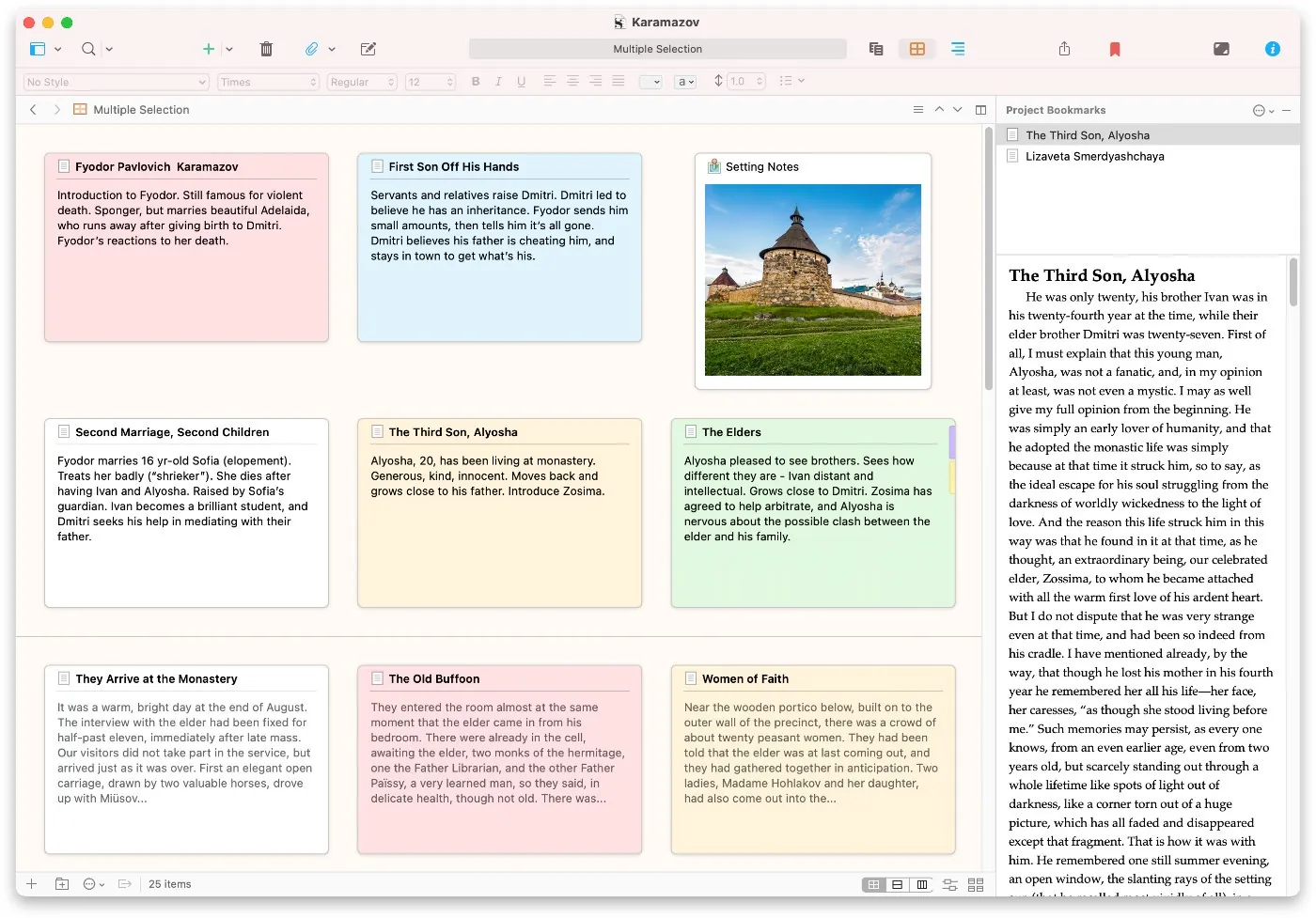
The license is perpetual and covers one platform and one major version: updates to version 3 are free, and a future version 4 will require a new license, sold at a discount to existing customers. The education license, reserved for students and teachers, costs €59.49, and the iOS app €24.99 on the App Store. The free trial lasts 30 days of actual use on macOS and Windows, so a writer who writes two days a week can use it for several months. Projects sync through Dropbox, iCloud or OneDrive, and the iOS app requires Dropbox.
If you already own Scrivener and it suits you, there's no rush. The programs below meet other needs: paying nothing, working on Linux or in a browser, or finding your text on several devices without managing sync.
Entirely free programs
These four programs install on your computer and keep your files at home, like Scrivener, which lets you write without a connection.
bibisco Community Edition
bibisco is designed for the novel, with an approach that puts the story before the text: premise, fabula, setting and narrative strands, then chapters and scenes. Its character sheets take the form of interviews, where you answer the questions you'd ask your character. The free edition, Community, has no limit on the number of projects, runs on macOS, Windows and Linux, speaks fifteen languages and exports to PDF, DOCX and TXT. Version 5.1.3 dates from August 2026.
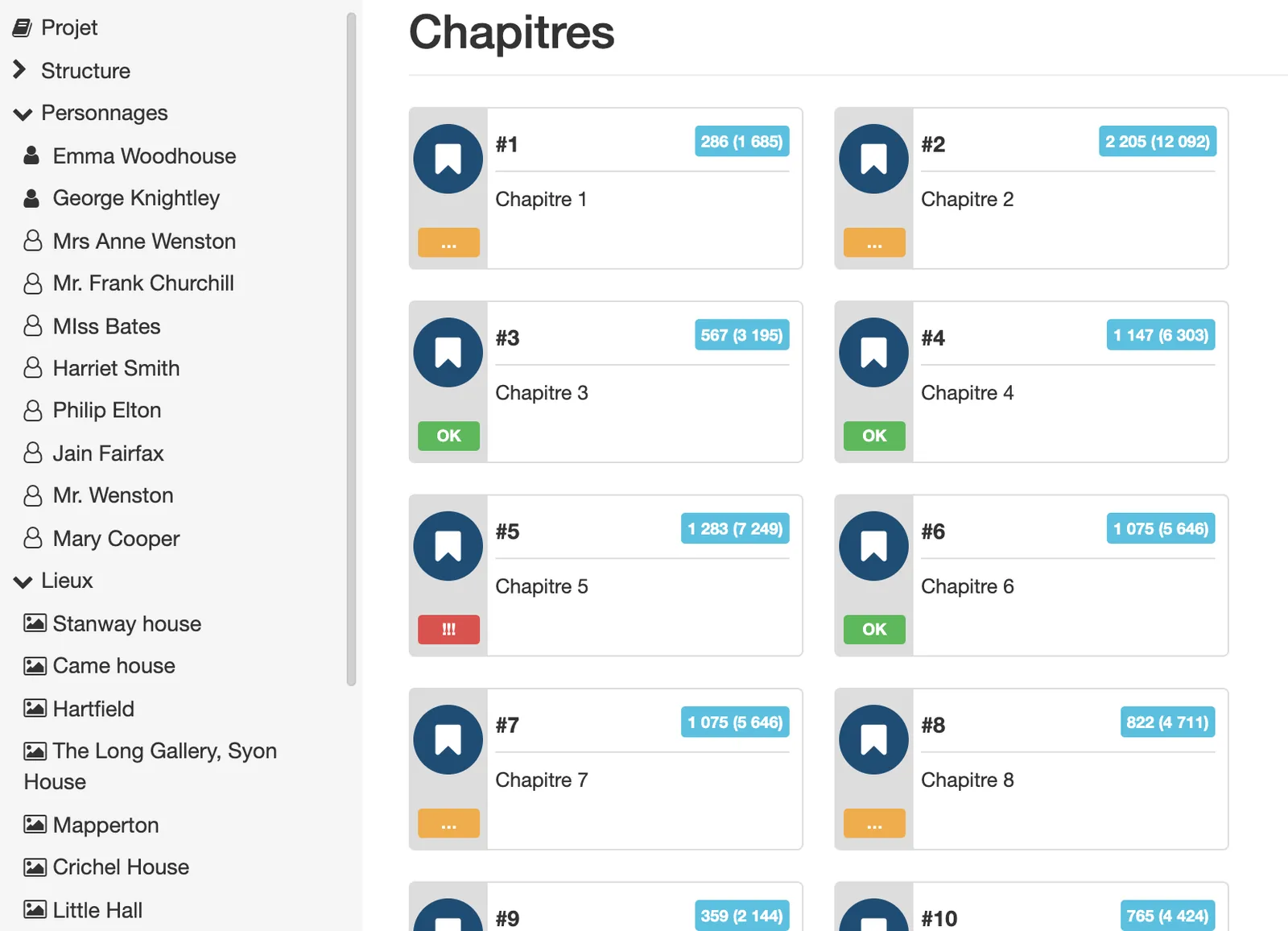
Several tools are reserved for the Supporters Edition ($59 once, with two years of updates): writing goals, search and replace, footnotes, the timeline, mind maps, distraction-free mode and EPUB export. The lack of search and replace is felt as soon as you want to rename a character in a long manuscript.
novelWriter
novelWriter is open-source software that stores text in plain text files, with light formatting close to Markdown in which headings are marked with #. You divide the novel into chapters and scenes, write notes on characters and places, and tags link the scenes to these notes, so an outline view shows, scene by scene, the characters and places involved. It exports to ODT, DOCX, PDF, HTML and Markdown.
Version 2026.2 came out on 5 September 2026 for Linux and Windows. On Mac, you now have to install it through Python (pipx install novelwriter), which in practice limits it to people comfortable with the terminal.
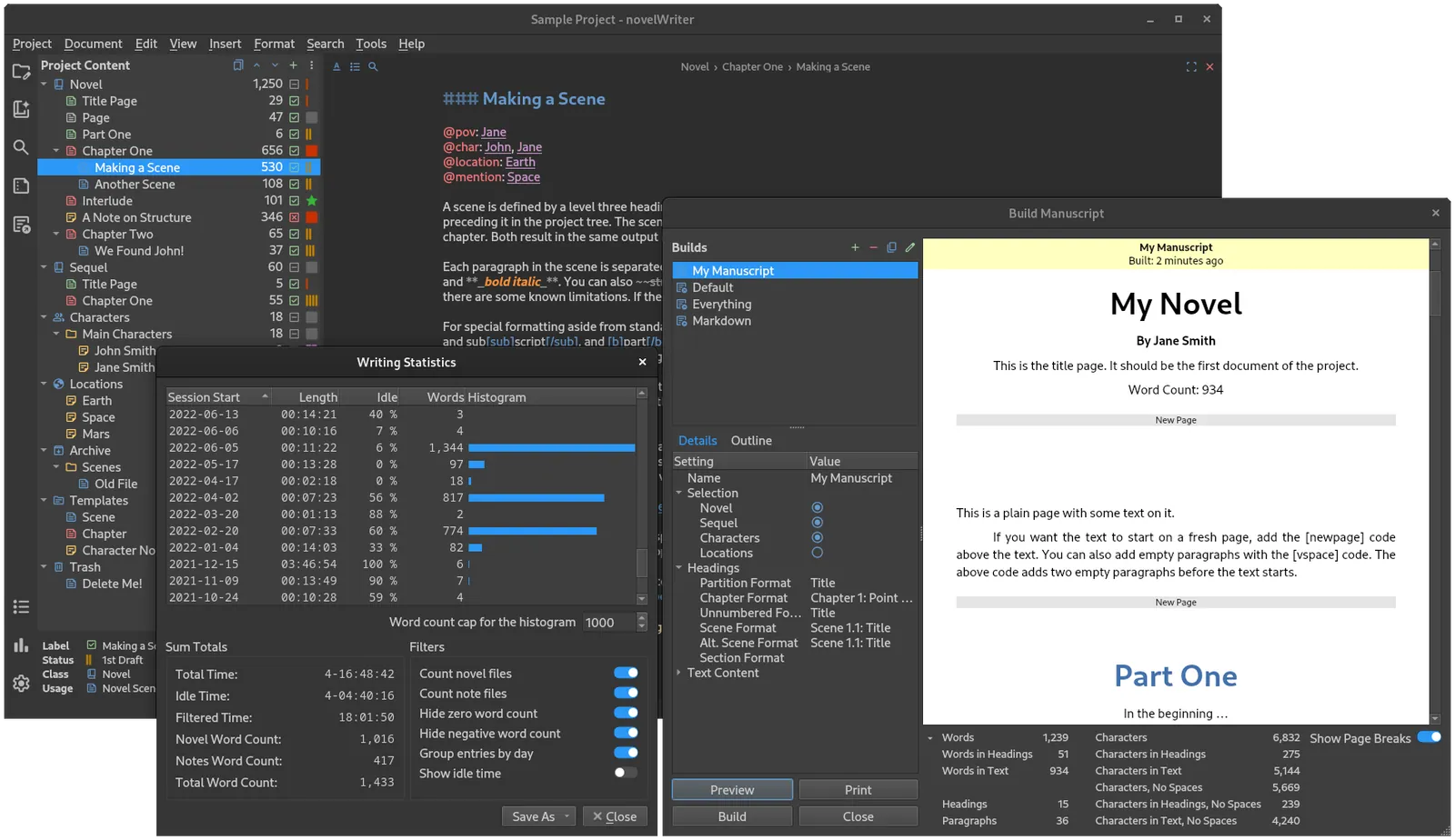
@pov, @char) link the text to the notes, and the build window prepares the manuscript. Official novelWriter project screenshot, GPLv3.Manuskript
Manuskript, also open-source, is built around the Snowflake Method: you start from one sentence that sums up the story, then expand it into a paragraph, character sheets and scenes. It also offers a detailed outline, sheets for plots and the world, and a distraction-free mode with a word or time goal. Exporting to ePub, ODT or DOCX requires installing a separate conversion tool, Pandoc.
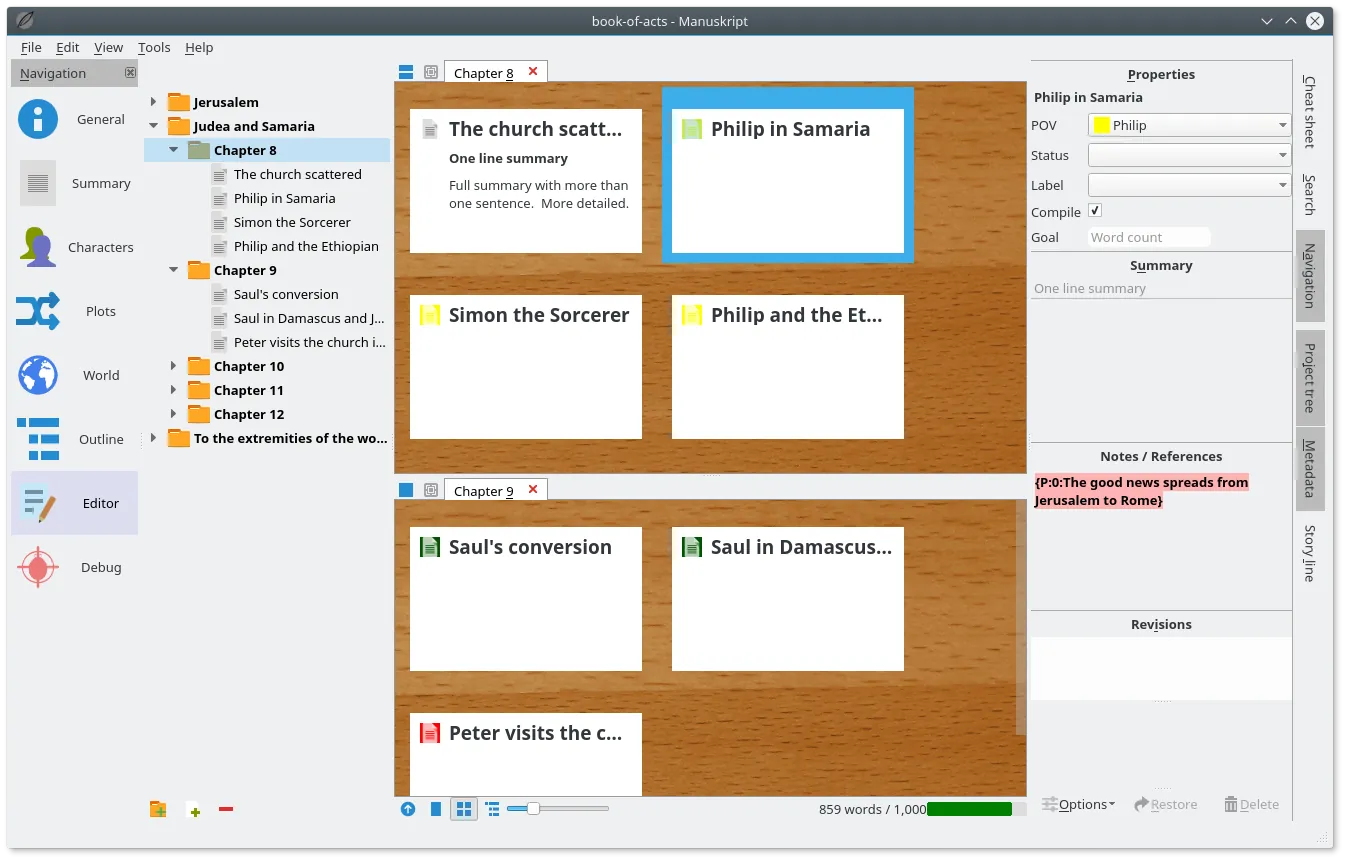
Two caveats apply. The latest version, 0.17.0, dates from 30 June 2025 and exists only for Linux and Windows (the latest Mac version is 0.16.1, from December 2023), even though the code keeps evolving. The website also warns that the software is still in its early days and recommends frequent backups.
yWriter
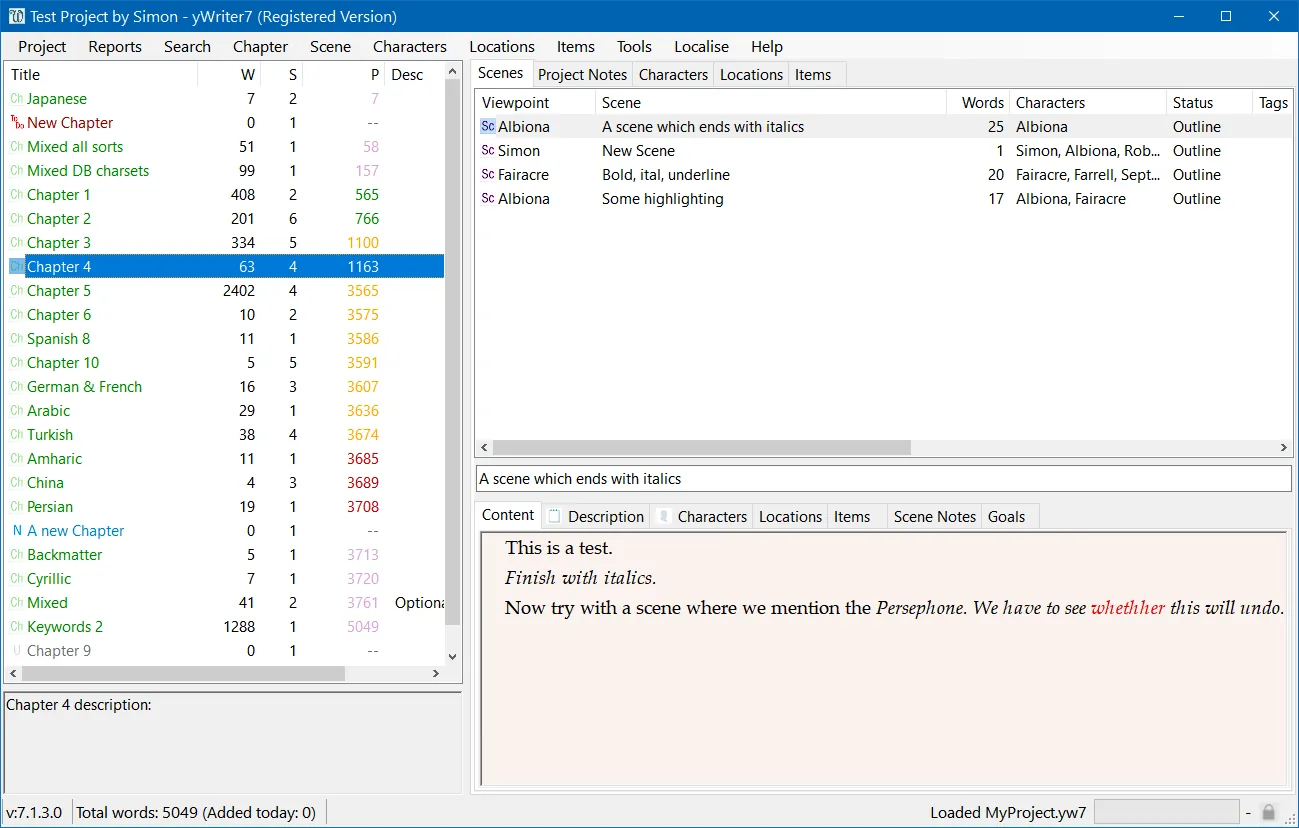
yWriter was designed by a novelist, Simon Haynes, and divides the book into chapters and scenes. Each scene has fields for point of view, goal, conflict and outcome, which pushes you to know what it contributes before writing it, and a log counts the words written each day. yWriter7 is free on Windows (the author encourages registration), and the Mac version is a free beta for now that will become paid. The latest stable version dates from January 2024, and a beta came out in May 2026.
Online tools with a free plan
These three tools run in the browser, so on any computer, and keep your texts on their servers. Their free plan has no time limit, but it caps the number of projects and keeps some features for paid plans.
Extypis
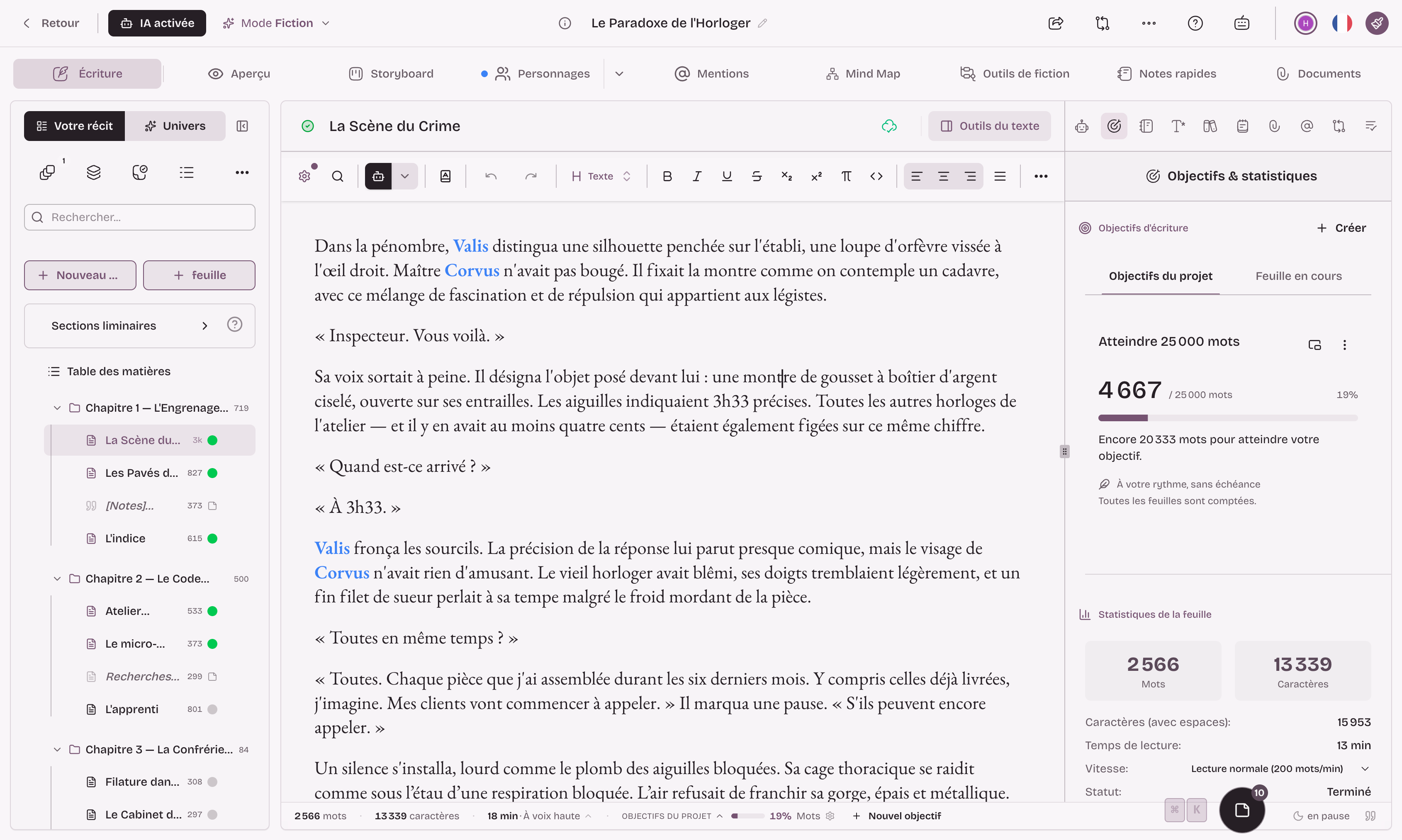
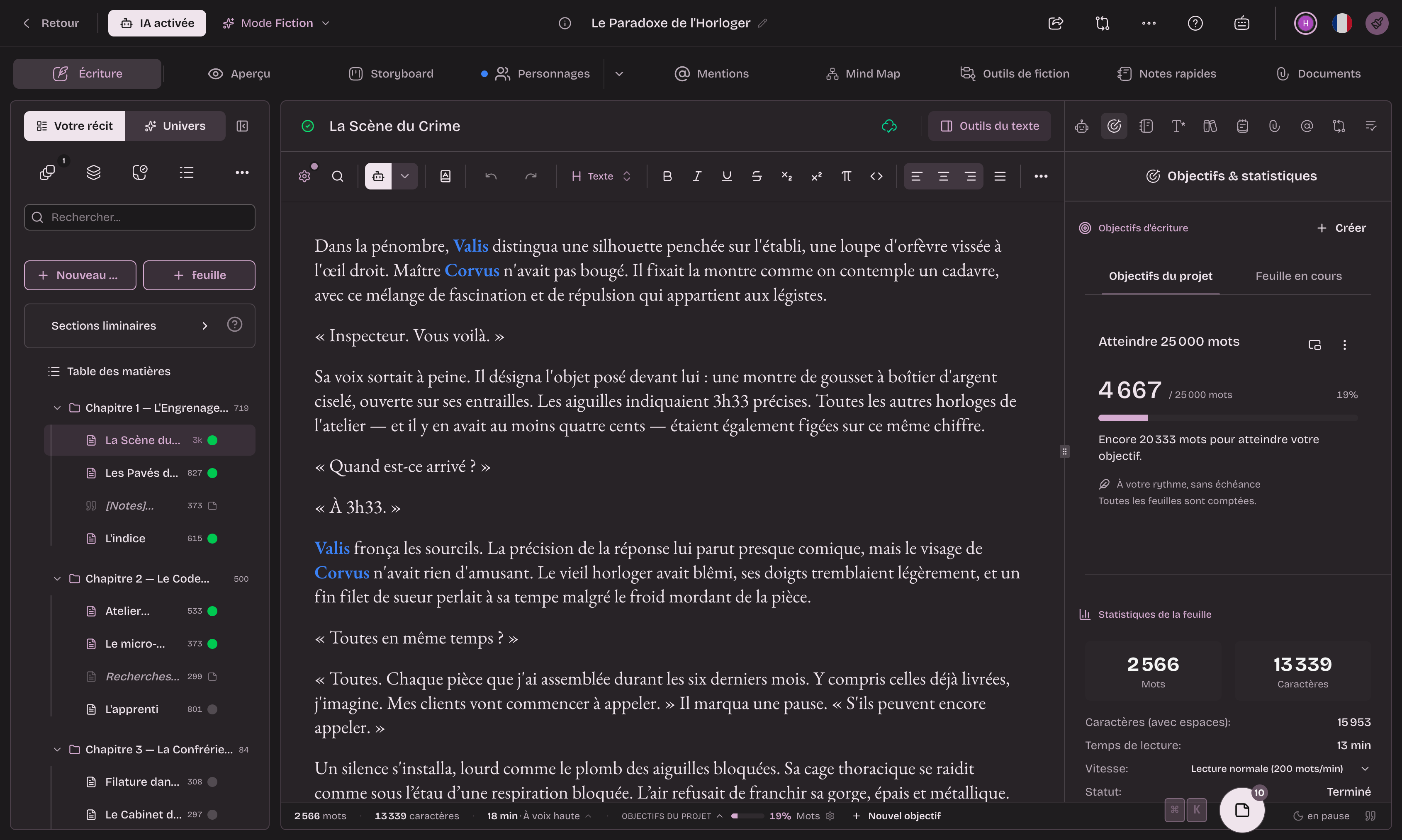
Extypis is an online writing studio that keeps the manuscript and the world of the story together. You create sheets for your characters, places, objects or your own categories, the editor then spots their names and nicknames in the text, and you link the sheets to each other to display the relationship map. A series lets you find the same sheets from one volume to the next.
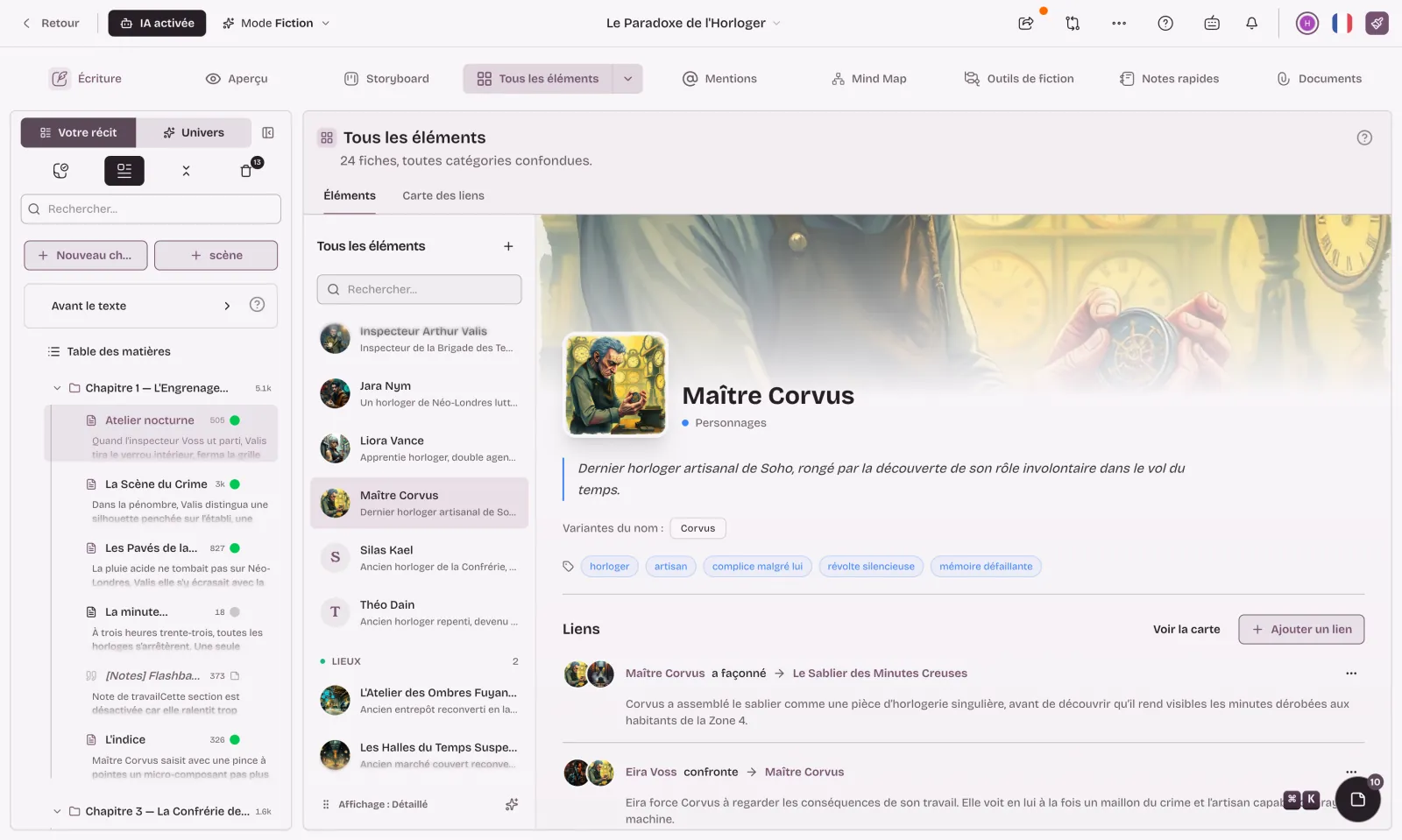
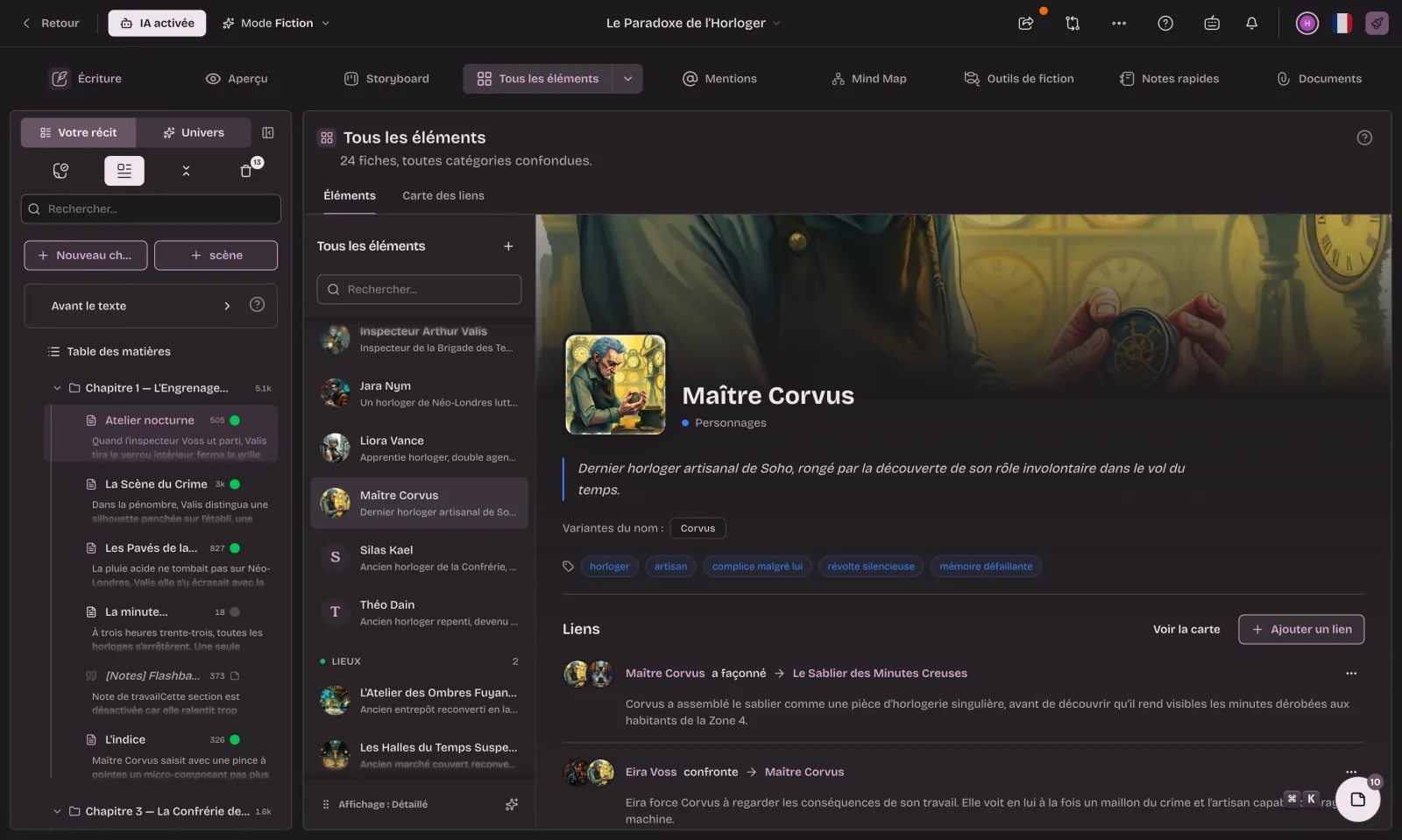
For structure, the scene board shows chapters and scenes with their summaries, and the story plan offers three frameworks (three acts, Save the Cat, hero's circle) as well as the Snowflake Method. Saved versions can be compared and restored, and export produces PDF, DOCX, EPUB, Markdown or HTML files. Dedicated modes exist for screenwriting, with FDX and Fountain exchange, for poetry and for academic work. AI remains optional, and one mode switches it off entirely.
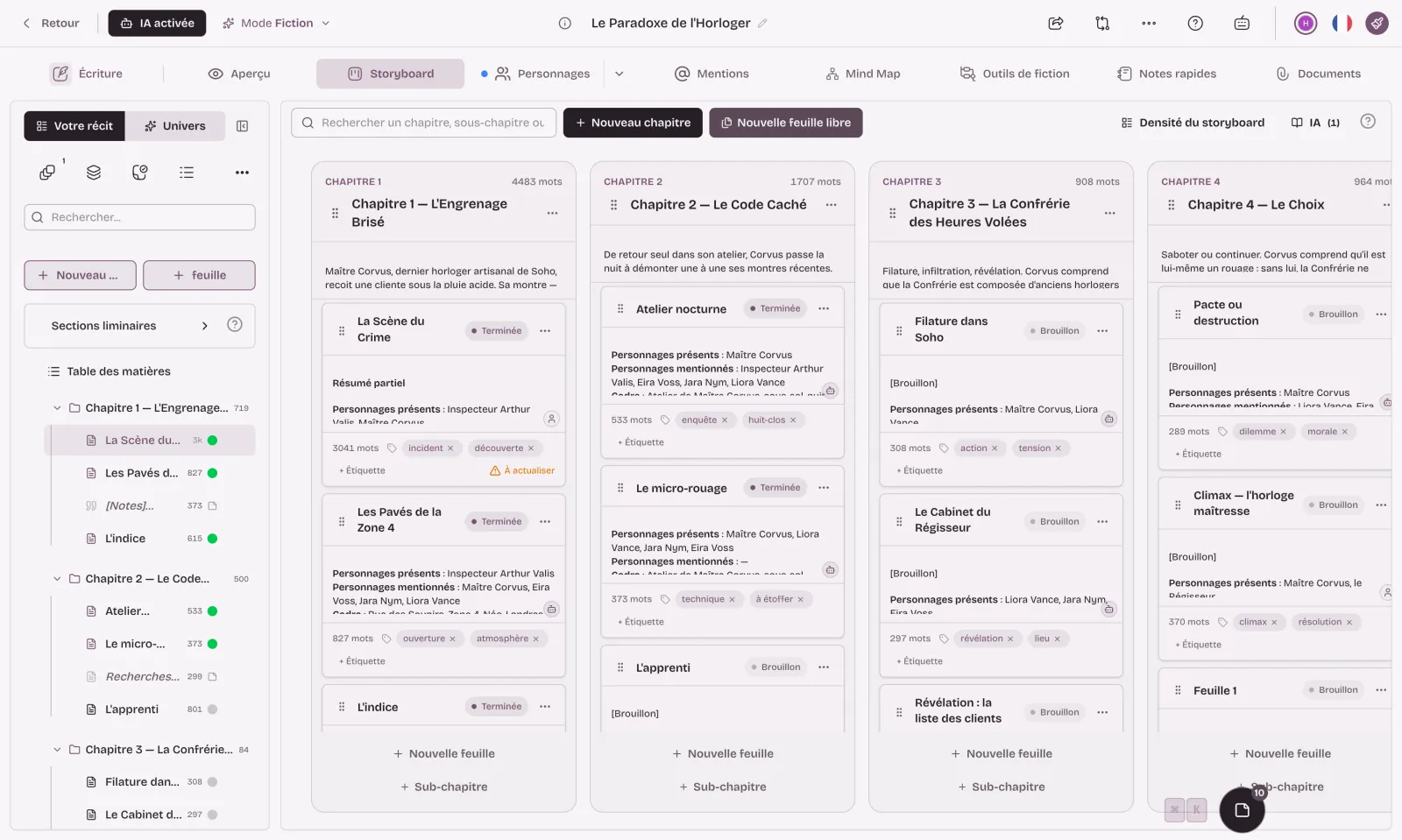
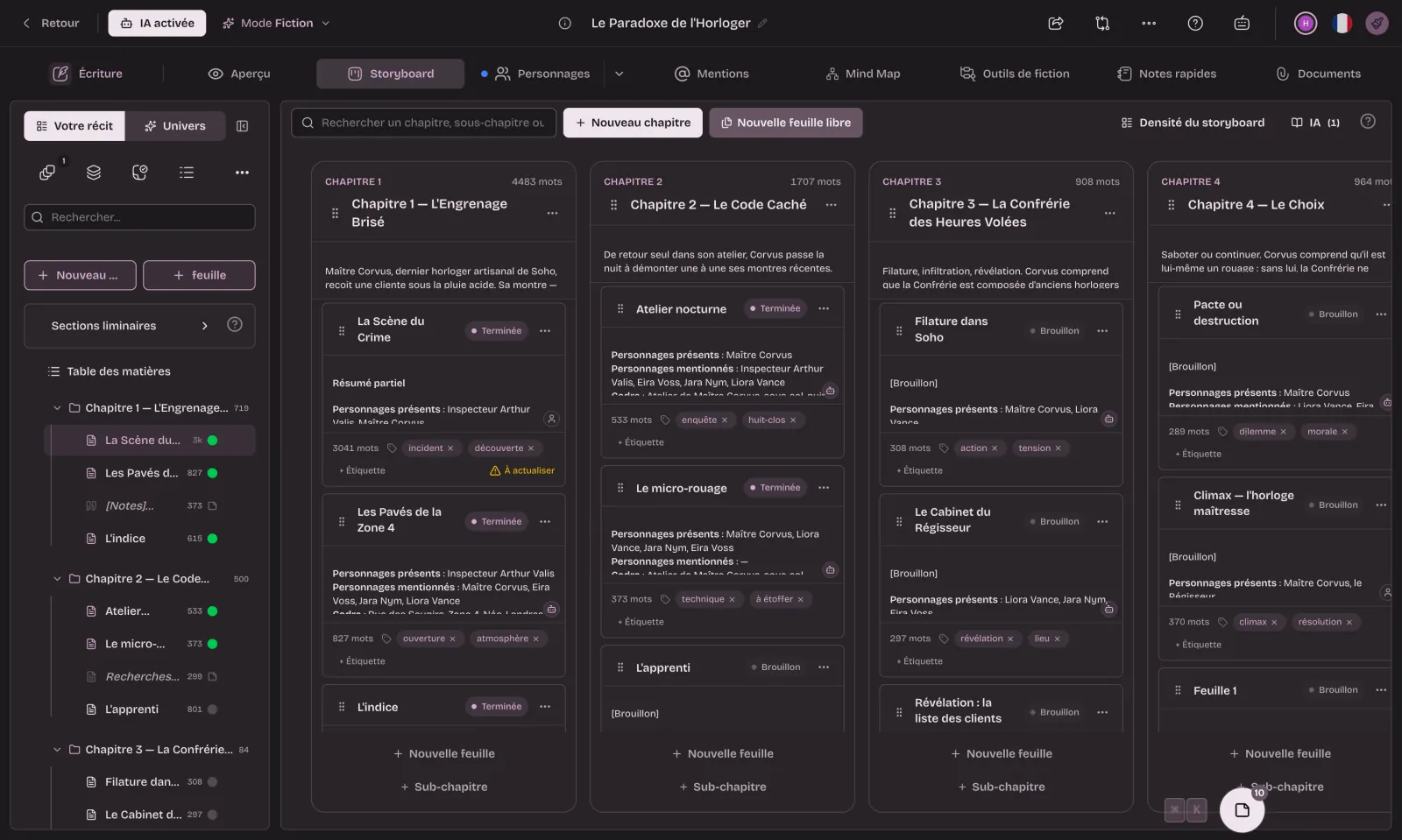
The free plan requires no credit card. It includes one project of at most ten sheets (a sheet holds the text of a chapter or a scene), two save points, five exports a month and 300 AI credits once. Ten sheets are enough for a short story or a short novel in ten chapters, and beyond that you need a paid plan: €9 a month or €90 a year without AI, €13 a month or €130 a year with 3,000 AI credits a month. Importing a Word or PDF file is part of the paid plans; on the free plan, you paste your text.
Extypis also installs as an app on a computer, tablet or phone. It needs a connection: the installed app tolerates a short outage and syncs when the network comes back, but it's no substitute for local software for a week without the internet. The interface is available in English, French, Spanish, German and Chinese.
Novlr
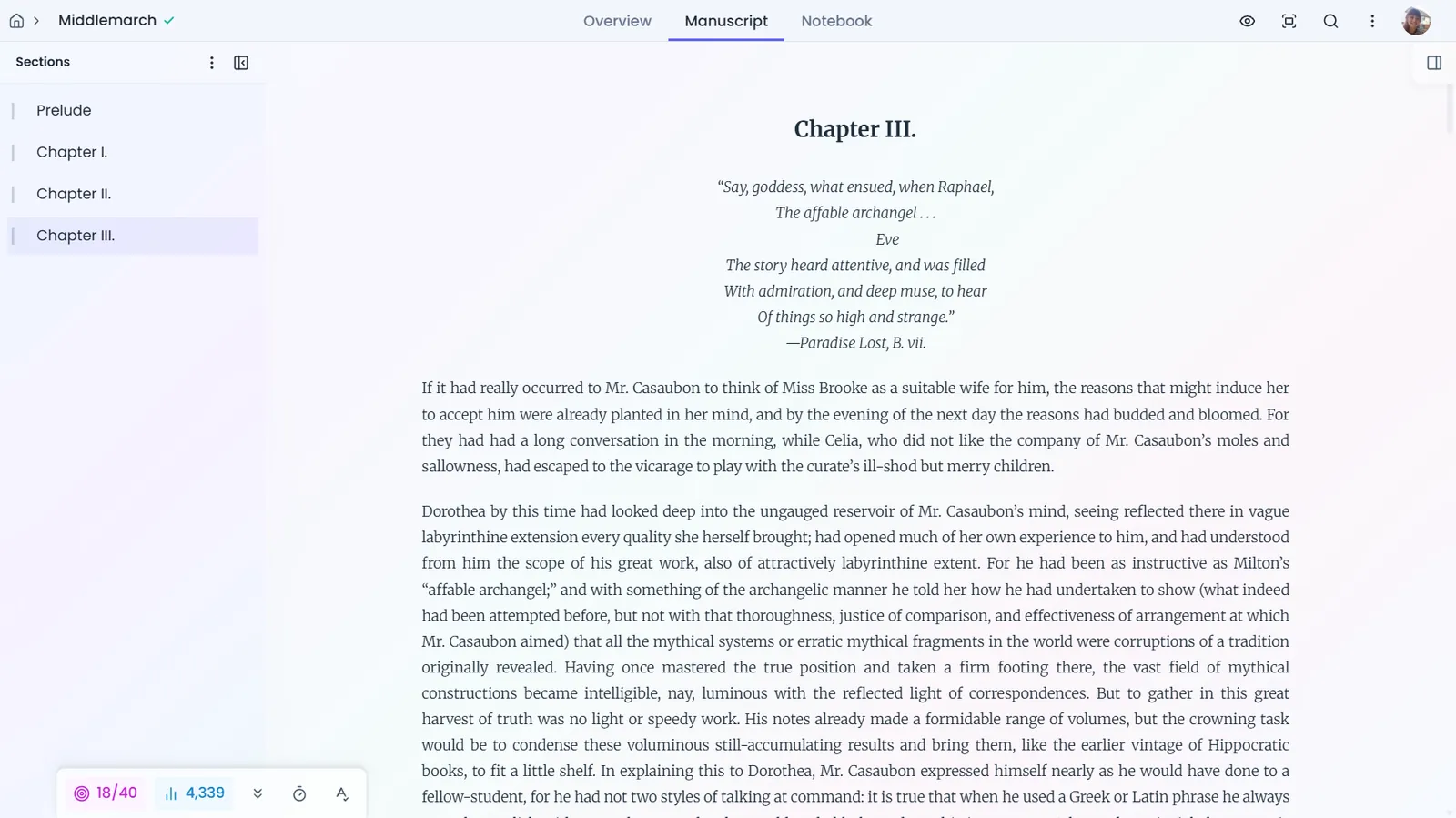
Novlr is an online novel editor. Its free plan gives you two projects synced across your devices, notes and a worldbuilding space, a planning grid, a focus mode, writing sprints, statistics and writing groups. Paid plans cost $10 a month (Starter, ten projects) and $20 a month (Studio, unlimited projects, proofreader and author website), with 20% off when paid annually, or $499 once for lifetime access. Novlr protects your text when the connection drops, but advises against working offline for long.
WriteControl
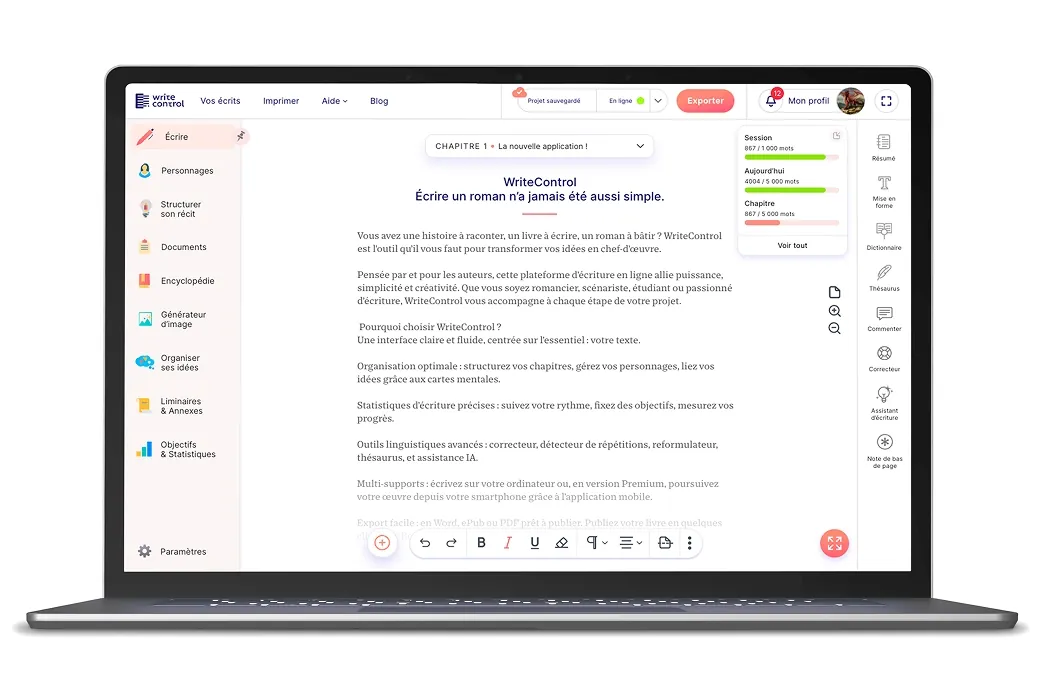
WriteControl is French writing software, published by the company SpinalSoft, which works with the printer BoD to print books. Its free version, with no time limit, allows five projects and includes the editor, chapter structure with summaries, character sheets, goals and statistics, synonyms, offline work, history and export to Word, LibreOffice or HTML. Premium, at €12.90 a month or €119 a year, adds among other things the AI assistant, the mind map, footnotes, the proofreader, the repetition detector, ePub export and print-ready PDF. WriteControl runs in the browser and as an Android and iOS app, with an interface in French. We've detailed its differences from Extypis on a dedicated page.
Two often-cited paid alternatives
Dabble and Atticus come up in most comparisons even though neither is free, and it's better to know that before signing up.
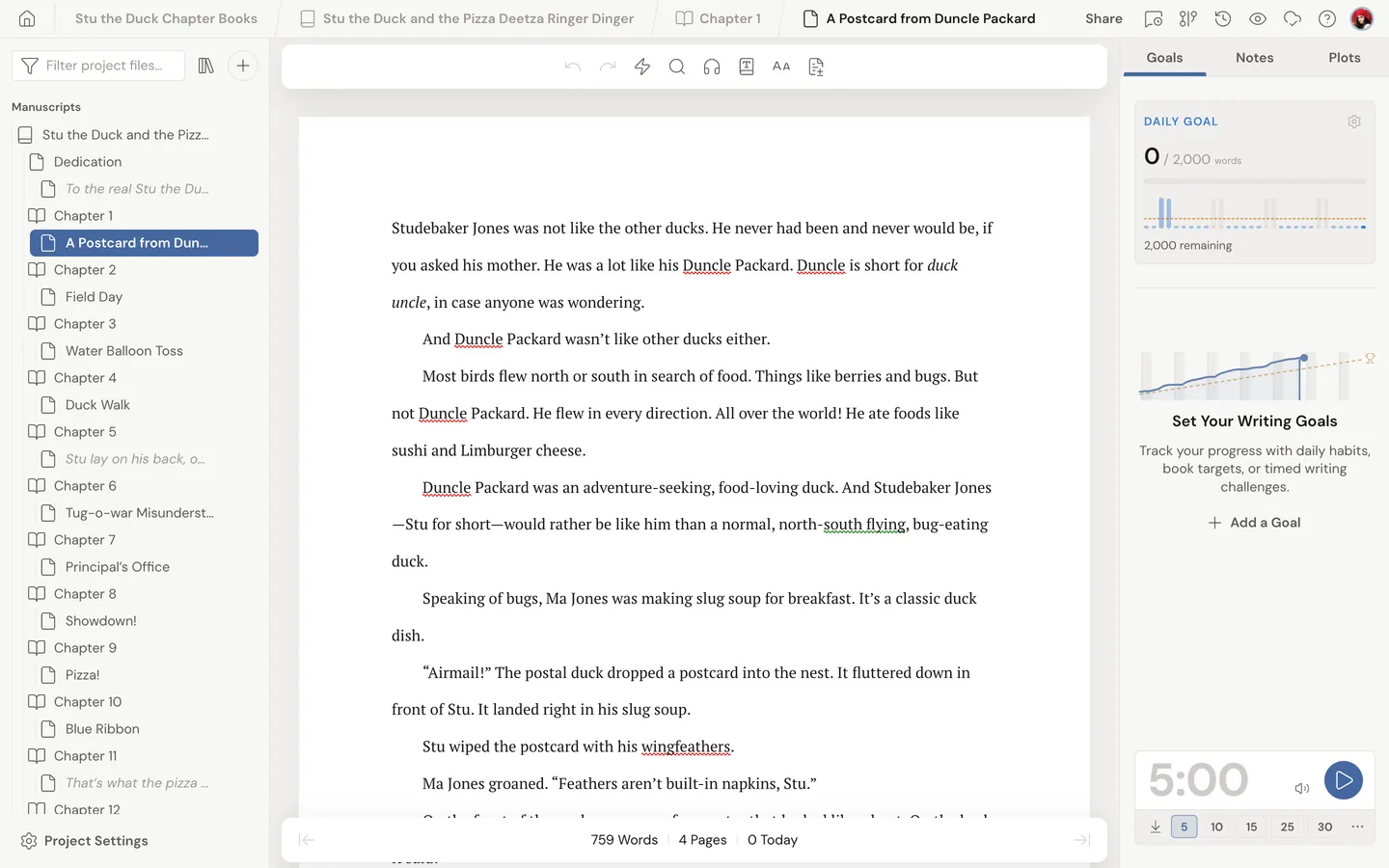
Dabble has no free plan, but offers a 14-day trial with no credit card. Its plans cost $19, $29 or $49 a month (20% less when paid annually), or $699 once for lifetime access. It runs in the browser and as an app for Windows, Mac and Linux, saves to the device first to allow offline work, and its interface exists in twelve languages. Its Plot Grid crosses scenes with the story's threads, and co-writing is included from the first plan.
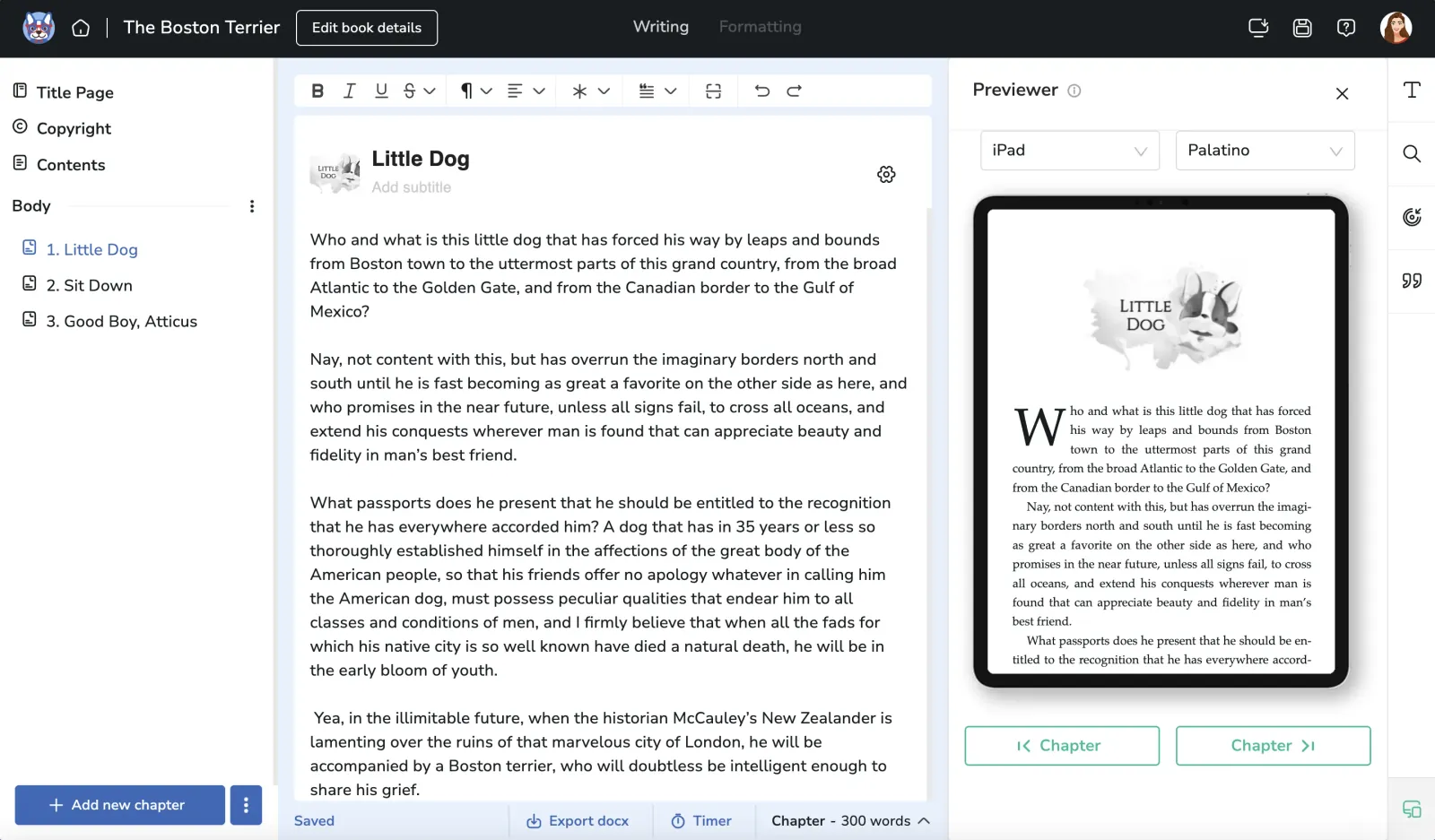
Atticus is above all a formatting tool, sold for $147 once, refundable for 30 days, with no free trial. It prepares EPUB, PDF and DOCX files from 17 templates, works online and offline on Windows, Mac, Linux and Chromebook, and offers writing goals. It mainly appeals to writers who have finished their manuscript and want to self-publish it.
Comparison table
| Program | Price | Free | Offline | Platforms |
|---|---|---|---|---|
| Scrivener | €69.99 in Europe | 30-day trial | Yes | macOS, Windows, iOS |
| bibisco | Free or $59 | Community Edition | Yes | macOS, Windows, Linux |
| novelWriter | Free | Everything | Yes | Linux, Windows, Mac via Python |
| Manuskript | Free | Everything | Yes | Linux, Windows |
| yWriter | Free | Everything, on Windows | Yes | Windows, Mac beta |
| Extypis | Free or €9/month | 1 project, 10 sheets | Short outages | Browser, installable app |
| Novlr | Free or $10/month | 2 projects | Short outages | Browser |
| WriteControl | Free or €12.90/month | 5 projects | Yes | Browser, Android, iOS |
| Dabble | $19/month | 14-day trial | Yes | Browser, Windows, Mac, Linux |
| Atticus | $147 | None | Yes | Windows, Mac, Linux, Chromebook |
How to choose
To pay nothing at all and keep your files on your computer, bibisco Community Edition is the only one of the four free programs with an up-to-date version for macOS, Windows and Linux. novelWriter will suit you if you like plain text and tags, and Manuskript if you work with the Snowflake Method, provided you're on Linux or Windows.
If you write on several devices, or on a Chromebook, an online tool spares you from managing sync. Compare the free plans with the size of your project: two projects at Novlr, five at WriteControl, one project of ten sheets at Extypis. Extypis stands out for the link between the sheets and the manuscript, since your characters' names are spotted in the text and the same sheets carry over from one volume to the next.
If what you want is the tool closest to Scrivener, the simplest option is still to try Scrivener itself: its 30 days of actual use are enough to know whether it suits you before paying. And if your book is already written and you mostly want to format it for self-publishing, look at Atticus, or at the EPUB and PDF exports of the tools above.
Leaving Scrivener without losing your work
Scrivener exports the whole manuscript through compiling (File > Compile), to Word (DOCX) or RTF. It can also export the binder's documents one by one (File > Export > Files), which keeps the division into chapters and scenes. Notes and research sheets often have to be copied over by hand, because each program organizes them in its own way. In Extypis, importing a Word file is part of the paid plans; on the free plan, you paste the text chapter by chapter.
Hubert Giorgi
Author
The writing studio novelists were missing
Outline, characters, places and objects, the links between them, mind map, scene board, export: everything lives in one place. Plus an AI that knows your story, whenever you want one.
Free to write and to export. No credit card asked.