Writing software for screenwriters
ACT ONE
INT. METRO TRAIN — DRIVER’S CAB — NIGHT
The tunnel rolls past. Cables, soot, a string of bulbs every twenty metres. Nadia keeps one hand on the controller.
NADIA
Seven-four, finish at Villette. Last run.
- Free to start, and to finish
- Go unlimited with Premium
- 50 free AI credits
Write in screenplay format
Write in format, then read the screenplay like a production.
Extypis keeps the text and its production constraints in one project. The editor places every block; the Breakdown tab turns scenes into locations, cast and usable metrics.
Write

Move from action to dialogue without touching a margin.
Act, scene heading, action, character, dialogue, parenthetical and transition follow screenplay tab stops. Tab changes block, Enter selects the next one, and project characters appear in cues.
- Screenplay format directly inside the editor
- Project characters recognised in dialogue cues
- Every scene written in the order that suits you



Move scenes around to test the rhythm before the shoot.
The board shows each scene with its location, time, characters and summary. Reorder the story without moving text by hand and reopen the original scene in one click.
- Every scene on a reorderable board
- Acts and scenes in a screenplay-first structure
- Several scenes open together to check transitions


Prepare

Open Breakdown and see what the text asks of production.
Scenes, locations, speaking characters, interior or exterior, day or night and page eighths are read from the screenplay. A rewrite updates the figures without a parallel spreadsheet.
- The Breakdown tab in the main navigation
- Locations, characters and production elements together
- Every character’s presence, scene by scene


Send a file every collaborator can pick up.
The same screenplay leaves as a correctly formatted PDF, FDX for Final Draft and Fountain for plain-text exchange. Dialogue splits and continuations stay clean across pages.
- A PDF paginated to screenplay conventions
- FDX, Fountain and working formats from one source
- Pagination checked before handover



Write, cut, break down, then deliver.
A screenplay is both a text to read and a document to produce. Extypis keeps those two readings in sync.
- 1
Characters
Roles, locations and props live in sheets connected to the text.
- 2
Format
Every block automatically takes the tab stop expected by the industry.
- 3
Scenes
Acts and scenes form a tree that stays readable while you write.
- 4
Rhythm
The scene board makes transitions and movements visible.
- 5
Breakdown
Locations, cast, day/night and page eighths come straight from the text.
- 6
Versions
Every state remains recoverable through notes and rewrites.
- 7
Pagination
The estimated runtime is based on the screenplay as it will be laid out.
- 8
Handover
PDF, FDX and Fountain leave from one reference document.

- Badges
Milestones worth keeping
Earned badges join your profile. Each requirement is listed before you start.
- Writing goals
Writing goals
Set targets in words, pages or time and track your progress.
- Writing Pomodoro
Writing Pomodoro
Choose 1 to 180 minutes of zen writing, with no early cancellation.
- Zen mode
Zen mode
Hide secondary UI and keep only the writing surface.
- Mind map
Mind map
A free canvas for your hypotheses, your sketches and your notes, cards and chapters side by side.
- Story timeline
Story timeline
Every plotline on its own lane, every event at its date in the story.
- Reader comments
Reader comments
Let your readers comment and react to your published chapters.
- Book export
Your book in the format you are asked for
Word for your publisher, print-ready PDF, an e-book for e-readers, and a file at Amazon KDP’s exact dimensions, ready to upload. One manuscript, no re-formatting.

























And everything you expect from writing software
- Autosave
- Versions to compare and restore
- Chapters and scenes you can reorder
- Character, place and object cards
- Repetition detection
- Dictionary and thesaurus
- Notes in the margin
- Writing statistics
- Installable on desktop, tablet and phone
- Import a Word, PDF or EPUB manuscript
Written by several hands
Write the screenplay with your co-writer, in the same scenes.
Invite your co-writer by email: you write in the same scenes at the same time, each with a cursor bearing their name, and the screenplay format stays the same for everyone. It's free.
- The director or producer comments: their changes arrive as suggestions you accept or decline.
- One version of the script: no more .fdx sent back and merged by hand.
- Who did what: the screenplay's log keeps every change and lets you undo it.
Writing without AI
Formatting does not need to write in your place.
Switch off every model-connected feature: screenplay format, the scene board, breakdown, versions and exports remain available. The words and staging choices stay yours.
What happens to my screenplay?
In no-AI mode, no scene is sent to a model. The screenplay only follows Extypis’s ordinary save, local analysis and export flow.
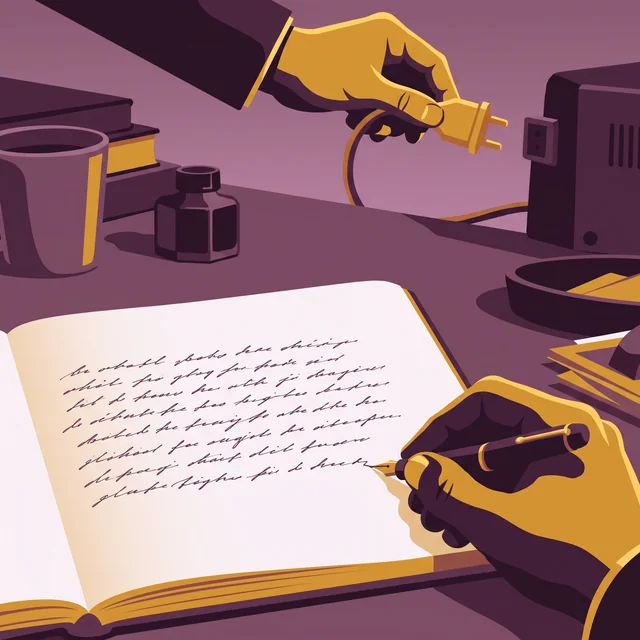


A “human origin” certificate if you want to attest that your book is authentic
AI detectors get it wrong too often. So Extypis uses another method to attest the human origin of your novel.
- Every character keeps its origin: typed, pasted and from which application, imported or written by Extypis' AI.
- The server timestamps your writing time, session after session.
- Your typing rhythm is read to spot mechanical input.
- You download a signed certificate, which a publisher or a jury checks with its QR code.
She closed the notebook and waited for the rain to stop. Far off, the bells of Saint-Malo were striking noon. She thought of her brother, gone three winters now, and of the letter he had never sent. The harbour smelled of salt and tar.
Start without paying
The format, the breakdown and the exports are available from your first project. No card to try.
What you actually open to write and prepare a screenplay.
Automatic formatting, scene board, breakdown, versions and exports: by default, this selection keeps only the tools useful to screenwriting.
Build the film scene by scene.
Acts, scenes and cross-project views keep the story movable without losing continuity.
Stay inside the scene while formatting works.
Shortcuts, versions and multi-scene views remove the gestures that interrupt writing.
Ask for another eye, never a replacement voice.
The assistant can read the project, rephrase or continue a passage — and switch off completely.
Read the screenplay like a production.
Breakdown, characters, locations and metrics reveal what every scene requires.
Deliver a screenplay ready to circulate.
Controlled pagination, compliant PDF and exchange formats leave from one source.
Extypis versus Final Draft and WriterDuet.
We ask each app a screenwriter's questions, first on what it gives without paying, trial included, then on its cheapest paid plan that answers them, and the Free or Paid switch takes you from one to the other. We are the ones keeping score, and the answers where the other app does better stay on the board.
Extypis
The writing studio
Free, with no time limit
Final Draft
The installed standard
A 5-day trial, which then turns into a paid subscription
As I type, does my screenplay format itself?
Extypis
Yes: typing INT. or EXT. starts a scene heading, a line in all caps becomes a character cue, Enter moves on to the expected block, Tab cycles through the scene's blocks, and a character's name completes from their sheetFinal Draft
Yes, during the 5-day trial, which holds back no feature: Enter creates the element that logically comes next, from character to dialogue, and Tab moves, for example, from action to characterDo my pages follow the industry standard, one page per minute?
Extypis
The project tree gives the running time of each sheet, at one page per minute, and the Breakdown tab gives the total in pages; the PDF numbers its pages, but prints no scene numbers, and no (MORE) or (CONT'D) when a page break splits a speechFinal Draft
Yes, during the 5-day trial: the status bar shows the current page and the total, and Final Draft writes (MORE) and (CONT'D) when a page break splits a speechCan I get a breakdown of my screenplay, and a shooting schedule?
Extypis
The breakdown, yes, from the free account: the Breakdown tab gives each scene's interior or exterior, location, time of day, characters and length in eighths of a page, and groups scenes by location; it does not build a shooting schedule by dayFinal Draft
During the 5-day trial, you tag props, wardrobe or effects in the text, and a report gives the length of each scene in eighths; the shooting schedule goes through an export you open in Movie Magic Scheduling, a separate programCan I exchange my screenplay with the production, as .fdx or Fountain?
Extypis
One way only: you export to .fdx and Fountain, 2 exports per month, but Extypis opens neither; a screenplay sent to you comes in as a PDF or a Word file, which an AI turns back into blocks, one sheet per scene, and the free account refuses that import beyond 10 sheets or 15,000 wordsFinal Draft
During the 5-day trial, it opens and saves .fdx, its own format, but not Fountain; without a license or a subscription, the installed software still opens an .fdx file, read-onlyCan I write my screenplay with no AI at all?
Extypis
Yes, once you switch on a setting that removes every AI tool from the screen; without it, the end-of-sentence suggestion sends the text before the cursor after a 5-second pause, and importing a manuscript goes through an AI in every caseFinal Draft
Yes, during the 5-day trial: none of the site or help pages we read presents a writing AI, and Final Draft states that it does not use screenplays to train an AICan I write on the train, with no network?
Extypis
Only in a tab that is already open: the text waits for the network to come back, and Extypis does not open without a connectionFinal Draft
Yes, during the 5-day trial: the installed software needs a connection the first time it opens, then works offlineHow much do I pay, and for how long?
Extypis
Nothing, with no time limit and no card needed: you get 1 project, and a project holds up to 10 sheets and 15,000 wordsFinal Draft
Nothing during the 5-day trial, on one computer at a time, then the trial automatically turns into a paid subscriptionCan I show that I wrote my screenplay myself?
Extypis
Yes, for the typing: the “human origin” certificate says what was typed, pasted or moved, and is shared by a link; it does not say where the ideas come from, and it does not replace registering the screenplayFinal Draft
None of the help pages we read describes a writing certificate; its Register Script menu leads to registering the screenplay with the Writers Guild of America West, a service run by the guild, not by Final Draft
For its 5-day trial, you get every feature of Final Draft: (MORE) and (CONT'D) at page breaks, .fdx files opened and saved, breakdown tagging and offline writing. After that, the trial turns into a paid subscription.
Prices and features surveyed on October 5, 2026 on the vendors' websites, help pages and app store listings, with competitor prices as shown to a visitor in France, in euros wherever the vendor shows euros; Final Draft and WriterDuet show their prices in US dollars on their sites, and we quote them as shown. On the free side, each app is compared on what it gives without paying, trial included; on the paid side, on its cheapest plan that answers the question. Answers where the other app does better stay on the board, and the score counts them.
What people ask
Does it follow standard screenplay format?
Yes, down to the tab stops: heading and action at 1.5 inches, dialogue at 2.5 and 3.5 wide, parenthetical at 3.1, character at 3.7, transition at 6. Those values live in one place in the code, and the PDF, the DOCX and the screen all derive from it — they cannot drift apart.
Can I export to Final Draft?
Yes, as .fdx, which opens straight in Final Draft. Fountain is available too: plain text, readable almost anywhere, handy for a collaborator with no dedicated software.
Does the PDF handle page breaks?
It does. A scene heading never sits alone at the foot of a page, a character name is never split from its first line, and a split dialogue carries (MORE) and resumes with the character name followed by (CONT'D). That is what separates a credible screenplay PDF from an amateur one.
Does the breakdown replace production software?
No, and it is not meant to. It gives what a screenwriter should be able to show: locations, cast, day/night and interior/exterior counts, scenes as strips grouped by location. A line producer will go further with their own tools, starting from your export.
Can I write without AI?
Completely. The no-AI mode switches off the assistant and everything that calls a model; what remains is a full writing studio — format, sheets, structure, exports. AI is an option, never the foundation.
What if I change the project type?
The format switches off and back on with the type. Turning a screenplay into a novel renders it as prose without destroying anything, and switching back restores the format exactly. Nothing is erased in either direction.
Can I write with a co-writer?
Yes, and it's free. Invite your co-writer, director or producer by email and choose their role: viewer, commenter or editor. An editor writes with you live in the same scenes, their cursor named; a commenter suggests changes that you accept or decline. The screenplay format stays the same for everyone, with no .fdx to merge by hand.

Open a scene
Create a project of type Scénario: the first line is already waiting for its INT. or EXT.
Hubert Giorgi
Going further
The pages of the studio that carry this subject on.
- Writing a novel synopsis
- Save the Cat and its 15 beats
- The three-act structure
- Playwriting software
- Export your manuscript to PDF
- Write by genre
- The free writing app
And to hold the whole project: The software to write a book