Aller au contenu principal
Free tool

Word Counter

Count words, characters, sentences, and paragraphs in real time. Reading time estimate included.

Why count the words in your text?

Word count is a fundamental metric for any author, student, or content creator. Whether you're writing a novel, a thesis, a blog post, or a cover letter, knowing your text length matters.

For fiction writers, word count determines your work's format: short story (under 10,000 words), novella (20,000-50,000), novel (70,000-100,000). Publishers and literary agents systematically request word count in submission packages.

For students, meeting a strict word limit is often a hard requirement. Our counter helps you stay on target without manual counting.

For content writers, article length directly impacts SEO: Google favors 1,500-2,500 word articles for informational queries.

Reading time is calculated at three speeds: slow (150 wpm), average (250 wpm), and fast (350 wpm). Useful for estimating speech duration, presentation length, or chapter pacing.

Go further with Extypis

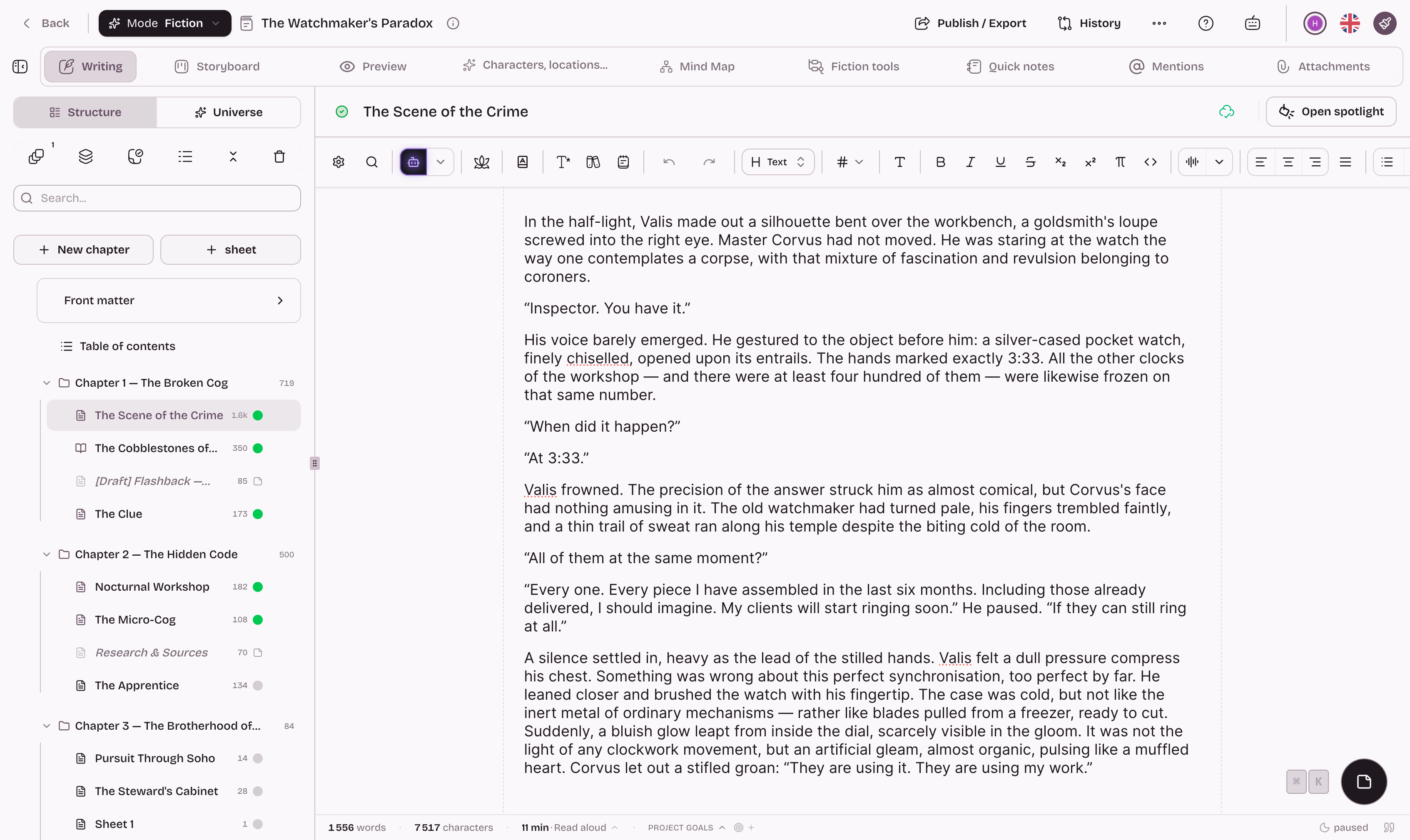
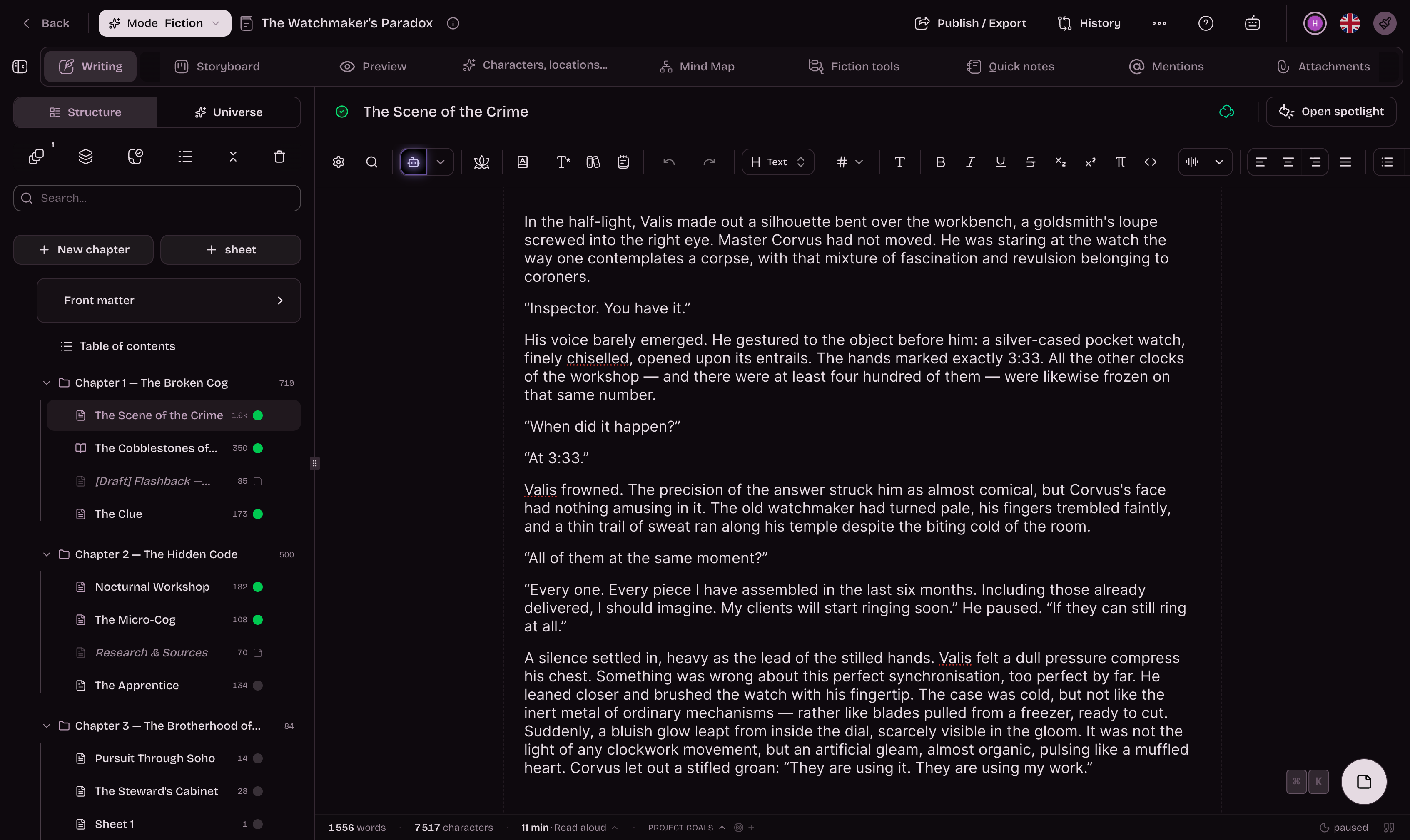
Extypis displays these statistics in real time as you write, plus a readability score, repetition detection, and custom writing goals.

Extypis interface preview

43 features. Just enough.

Writing

Rich text editor

Full formatting, headings, tables, images and lists in one editor.

38 slash (/) commands

Commands and ready-to-use templates available instantly with `/`.

Custom slash commands

Create your own `/` commands with custom content. Define a search term, write the content in a mini-editor, and choose whether the command is global…

Markdown support

Markdown syntax is converted automatically as you write.

Zen mode

Hide secondary UI and keep only the writing surface.

Contextual notes (post-its)

Add color-coded sticky notes directly to any passage.

Dictionary

Definitions, synonyms, rhymes, etymology and nuance without leaving the editor.

Narrative outline

Resources, hero's journey and interweaving tools to shape the story.

Non-linear writing

Write scenes in any order, then reorganize them freely.

Organization

Chapters and sheets

A clear tree with statuses and drag-and-drop reordering.

Storyboard

Story overview with summaries, labels, quick preview and scene reordering.

Multi-sheet view

Display and edit multiple sheets and chapters simultaneously.

@character mentions

Insert clickable mentions to your characters, locations and objects.

8 narrative element types

Dedicated cards for characters, locations, conflicts, themes, objects and more.

Tags and filters

Organize projects and find them faster with tags and filters.

Front matter and back matter

Configure a title page with cover image (auto-cropped to 2:3 ratio), metadata (author, publisher, ISBN, copyright). Add front matter (dedication,…

Interface

Customizable toolbar

14 tool groups in the toolbar: dictionary, zen mode, academic notes, history, structure, font size, formatting, alignment, lists, blocks, rich…

Themes and colors

Choose light or dark themes and fine-tune the display for comfort.

Installable web app

Works on desktop, tablet and mobile, and can be installed like an app.

Configurable typography

Fonts, size, line height and text width are adjustable per project.

Productivity

Autosave

Your texts are saved continuously with a local backup safety net.

Snapshots (versions)

Create versions, compare them and restore a previous state.

Writing goals

Set targets in words, pages or time and track your progress.

Keyboard shortcuts

Formatting, structure and navigation at your fingertips, without lifting your hands.

Academic

Footnotes

Quick insertion, auto-numbering and direct navigation for every note.

Bibliographic citations

Academic references with one-click style switching.

Book search

Use ISBNs, titles or URLs to autofill reference metadata.

Analysis

Real-time statistics

Automatic counting: words, characters (with/without spaces), paragraphs, sentences. Average word and sentence length. Reading time estimate (3 speeds:…

Readability score

Measure how easy or demanding your text is to read.

Syllable analysis

Count syllables in classical or phonetic mode for verse writing.

Sentiment analysis

Detects the emotional tone of the text: positive, negative or neutral. Shows a percentage and a visual indicator. Lets you verify that your text's…

Repetition detection

Spot unwanted repetition and refine your style faster.

Connector analysis

Assess the balance of logical connectors and text flow.

Passive voice detection

Spots passive voice sentences and highlights them. Shows the percentage of passive voice in the text. Useful for energizing your writing if you tend…

Mention charts

Visualize your character and location usage: bar chart showing mentions per sheet, pie chart showing distribution per element. Helps identify…

Export

PDF export (LaTeX)

Generate polished PDFs with true typographic quality.

Multi-format export

Export to PDF, DOCX, EPUB, HTML, Markdown or full archive.

Publication WordPress

Publiez directement sur votre blog WordPress depuis Extypis. Connectez votre site via un mot de passe d'application, puis publiez ou mettez à jour…

Files

PDF and DOCX import

Turn a PDF or DOCX into an Extypis project in a few clicks.

Attachments

Add PDFs, images, audio, video and documents directly to the project.

Inline images

Insert images in your text. Resize with handles, choose alignment (left, center, right, floating). Add a caption. Full-width mode available for…

File management

Dedicated view for all your uploaded files. Filter by type (images, documents, audio, video). Search by name. See metadata (size, upload date). Insert…

Accessibility

Brightness and contrast

Adjust brightness (0.5 to 1.5) and contrast (0.5 to 2.0) of the interface. Accessible from the theme selector. Lets you adapt the display to ambient…

Ready to write with the right tools?

Extypis is a free writing workshop with all these tools built directly into the editor. Create your account in 30 seconds.