Write a book from outline to export
The software to write a book, and finish it.
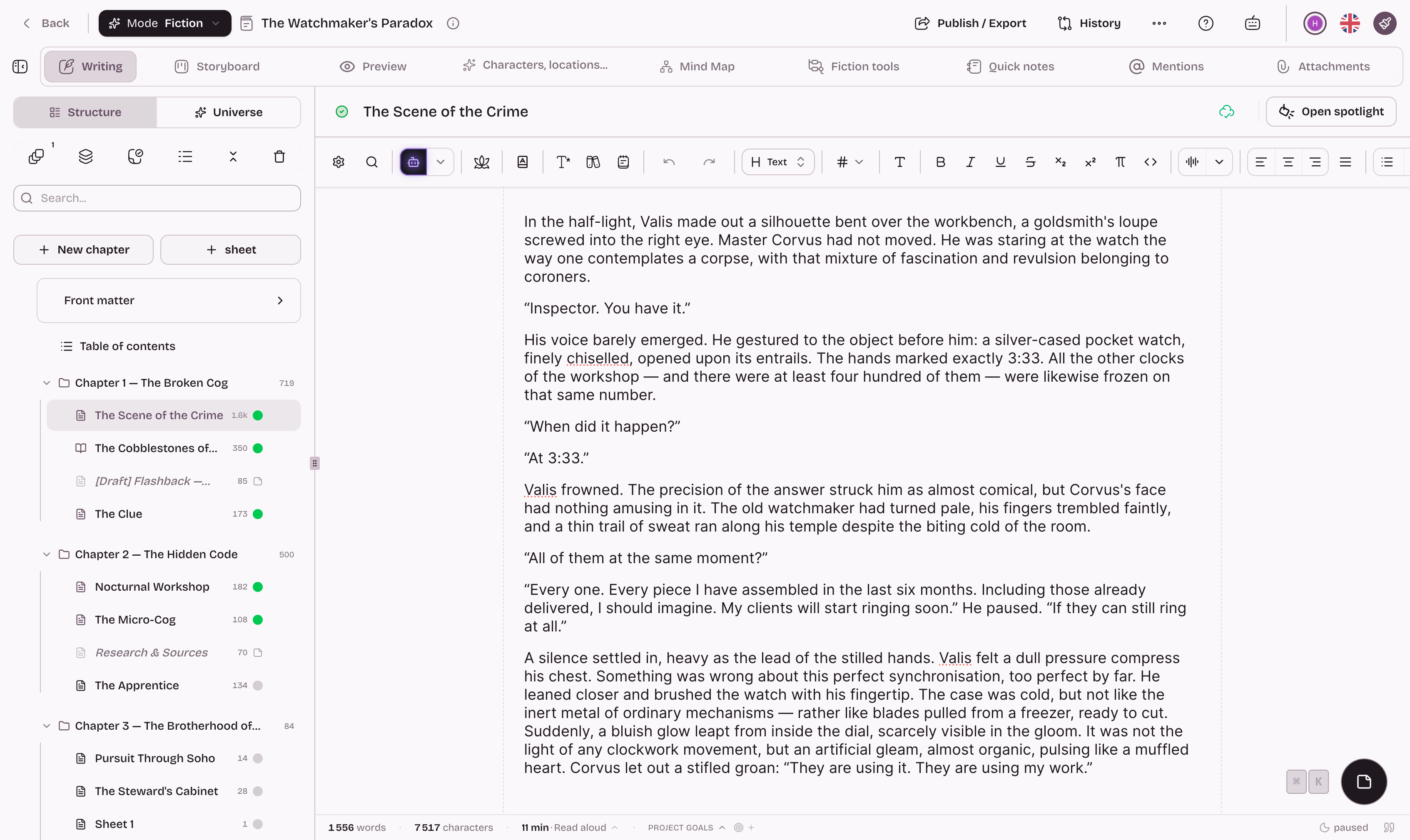
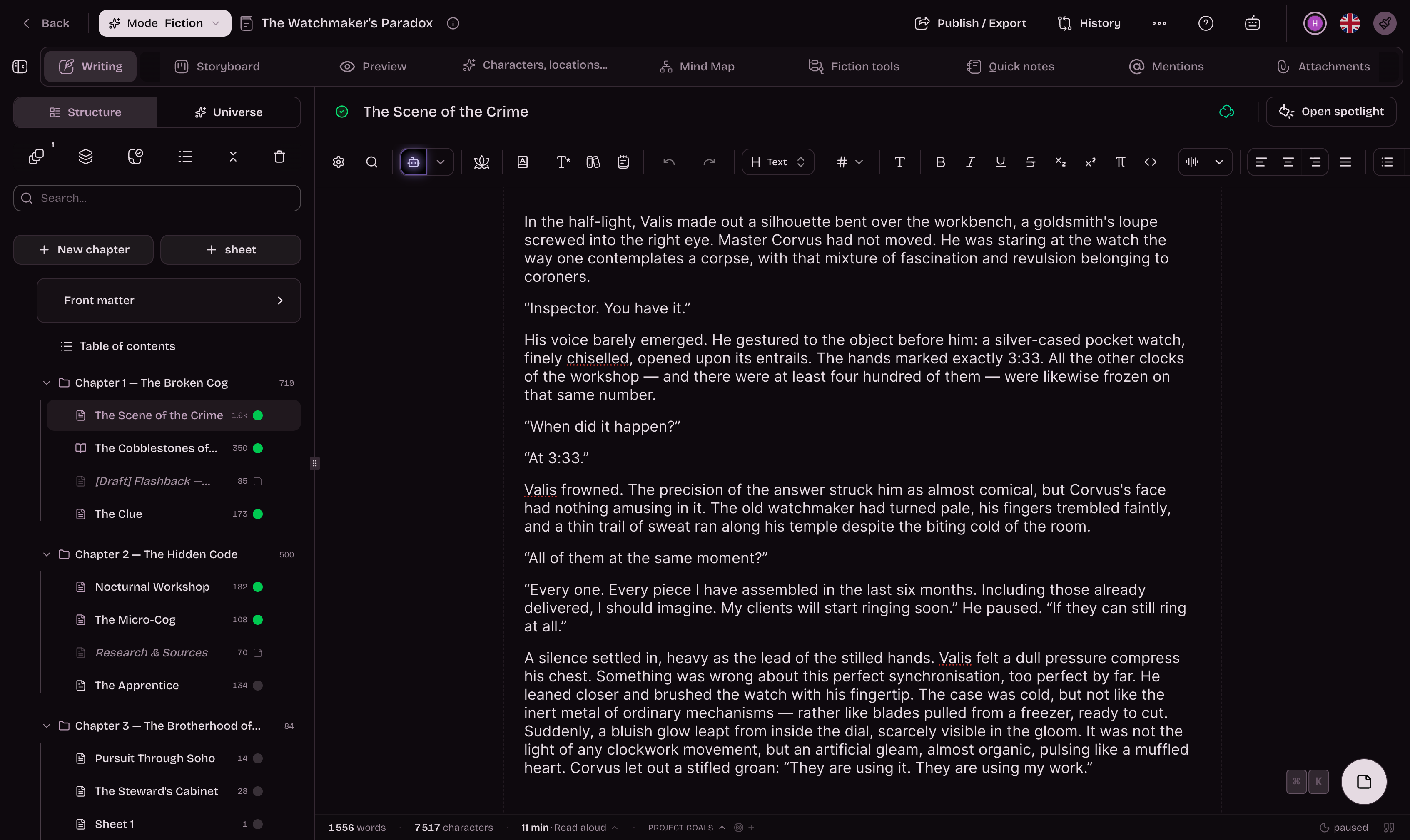
Chapters, scenes, character profiles and notes stay in the same project as your text. Move a scene without copy and paste, check a detail without opening another file, and export the book as PDF, EPUB or DOCX when it is ready.
- Free to start, and to finish
- Go unlimited with Premium
- 50 free AI credits
Everything you need to write your book, kept in one project.
In a word processor, the manuscript turns into one long file and the notes live somewhere else. Here, chapters, scenes, characters and research sit together, and each element stays linked to the text.
Build
Record what you know about your characters and places in profiles linked to each other.
Create the profiles your book needs, with the fields you choose: a character's age, the layout of a house, the ties within a family. Relationships appear on a map, and your research photos or PDFs go into the profile they belong to.
- Categories and fields tailored to your world
- Relationships between profiles displayed on a map
- Photos, maps and PDFs attached to your profiles

Split the book into chapters and scenes, then drag them into a new order.
Each scene becomes a card on the scene board. Write the one that comes to you, move it to another chapter when the outline changes, then open two passages side by side to reread the transition.
- Each scene's summary and opening lines at a glance
- Scenes you can move between chapters
- Passages side by side to check transitions
Maintain

Check a detail without leaving the page you are writing.
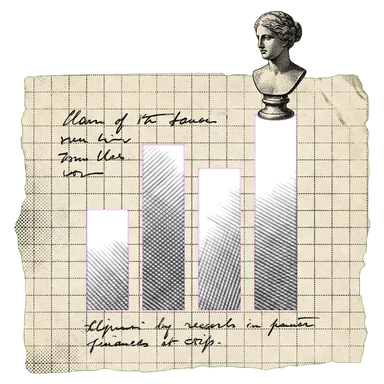
When a character or place name appears in the text, its profile shows on hover. Mention charts show the chapters where each one appears, which helps you spot a character who has been missing for a hundred pages.
- Names and nicknames recognized in your manuscript
- The distribution of mentions throughout your story
- A profile preview when you hover over a name
Rewrite a chapter and keep the previous version, then start the next volume from the same profiles.
Every chapter keeps its versions: if a rewrite does not work, go back. And if the book calls for a sequel, the series shares its profiles across volumes, with nothing to copy.
- Sheets shared across every book of a series
- Every chapter keeps its versions: rewrite without fear

The stages of a book, in the order you go through them.
From the first profile to the file you send to a publisher or a printer, each stage has its tool in the same project.
- 1
Sheets
Characters, places, objects: the fields you want, linked together.
- 2
Outline
Three guided templates, and an analysis of the story's imbalances.
- 3
Scene Board
Your scenes as cards, movable, written in whatever order they come.
- 4
Writing
Type a name, its sheet is right there. Your research stays within reach.
- 5
AI, if you want it
Continue, rewrite, create a sheet — it only steps in when you call it.
- 6
Versions
Every chapter keeps its versions. Rewrite without fear.
- 7
Book pages
You write on the pages of your book, in the format of your PDF.
- 8
Export
Publisher-grade PDF, EPUB, DOCX, or publish on Extypis.
Already writing in another app?
Import your manuscript: Extypis splits it into chapters and scenes, and creates sheets for your characters, places and objects.
- DOCX
- EPUB
- Markdown
- HTML


- Badges
Milestones worth keeping
Earned badges join your profile. Each requirement is listed before you start.
- Writing goals
Writing goals
Set targets in words, pages or time and track your progress.
- Writing Pomodoro
Writing Pomodoro
Choose 1 to 180 minutes of zen writing, with no early cancellation.
- Zen mode
Zen mode
Hide secondary UI and keep only the writing surface.
- Mind map
Mind map
A free canvas for your hypotheses, your sketches and your notes, cards and chapters side by side.
- Story timeline
Story timeline
Every plotline on its own lane, every event at its date in the story.
- Reader comments
Reader comments
Let your readers comment and react to your published chapters.
- Book export
Your book in the format you are asked for
Word for your publisher, print-ready PDF, an e-book for e-readers, and a file at Amazon KDP’s exact dimensions, ready to upload. One manuscript, no re-formatting.















And everything you expect from writing software
- Autosave
- Versions to compare and restore
- Chapters and scenes you can reorder
- Character, place and object cards
- Repetition detection
- Dictionary and thesaurus
- Notes in the margin
- Writing statistics
- Installable on desktop, tablet and phone
- Import a Word, PDF or EPUB manuscript
AI-free mode
Switch AI on. Switch it off whenever you like.
One switch removes every trace of AI: every button, every suggestion, every mention. You still have the full writing studio, with its outlining tools, scene board, profiles and exports. Some writers have to follow rules on original authorship; others simply prefer to write without AI. Either way, we've made room for you. It even costs less.
What about AI watermarks?
Since August 2026, AI models have embedded an invisible watermark in the text they generate, including the models we use. Anything you write yourself is never watermarked.
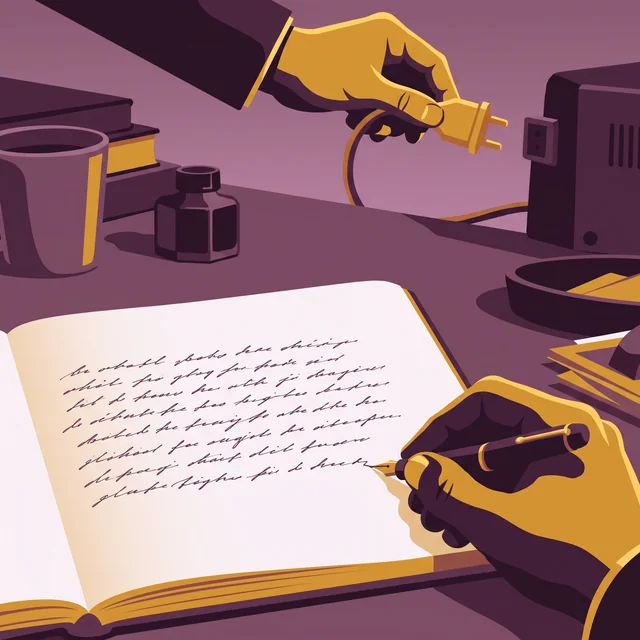

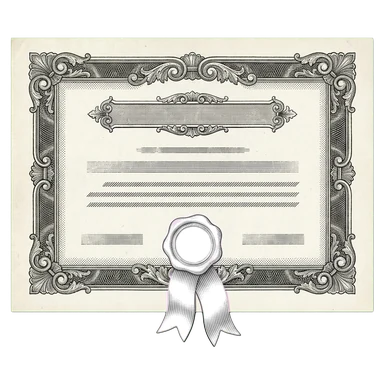
A “human origin” certificate if you want to attest that your book is authentic
AI detectors get it wrong too often. So Extypis uses another method to attest the human origin of your novel.
- Every character keeps its origin: typed, pasted and from which application, imported or written by Extypis' AI.
- The server timestamps your writing time, session after session.
- Your typing rhythm is read to spot mechanical input.
- You download a signed certificate, which a publisher or a jury checks with its QR code.
She closed the notebook and waited for the rain to stop. Far off, the bells of Saint-Malo were striking noon. She thought of her brother, gone three winters now, and of the letter he had never sent. The harbour smelled of salt and tar.
Write your book on the free plan.
Every stage, from outline to export, is available without a subscription, within volume limits. A subscription lifts those limits when the book or the number of projects grows.
The tools you use at each stage of a long book.
A selection for structuring, writing, revising and exporting. The full catalogue is one click away.
Keep the structure of the book in view.
Guided outline, chapters, movable scenes and profiles linked to the text.
Ask for help on a specific passage, if you want to.
The AI reads your project to suggest a continuation, a rewrite or a profile. You choose what to keep, and you can switch it off.
Estimates if you only use this feature. Credits are shared across every AI tool.
Write for hours without losing the thread.
Focus mode, quick commands and saved versions support long sessions.
Revise with concrete markers.
Repetitions and character mentions point to the passages worth another look.
Deliver the book in the format you are asked for.
A laid-out preview while you write, then PDF, EPUB or DOCX export.
Extypis versus the rest of the world.
One opponent at a time, comparing the free versions or the paid ones, and we are the ones keeping score, which should already make you wary. The rounds we lose stay on the board.
Extypis
The newcomer
Free, with no card needed
WriteControl
The neighbor
Free, with no time limit
How many books can I write, and how long?
Extypis
You get 1 project, and a project holds up to 15,000 words in 10 sheetsWriteControl
You write up to five books; each chapter or sub-chapter holds at most 10,000 words, and its site states no limit for the whole bookWhile I write, do I see the pages of my book?
Extypis
Yes, on a computer: you write in the pages, at the size, margins and font of your PDFWriteControl
No: layout happens at export, and the free version exports to Word, LibreOffice and HTMLWhere do I write the dedication, the preface, the copyright page and the back cover?
Extypis
On a computer, you write them on the pages of the book, in their place, and you type the publisher and the ISBN on the copyright pageWriteControl
The free version has no front matter pages, which require PremiumDo I get a PDF ready for the printer?
Extypis
Yes: Extypis typesets the PDF with LaTeX, in A4, A5 or Letter, up to 2 exports per monthWriteControl
No: the printer PDF requires Premium, and the free version exports to WordIf I name a character, even by a nickname, does the app find them?
Extypis
Yes, everywhere in the book, as soon as the nickname is on their sheet; a tab suggests the names in the text that have no sheet yetWriteControl
No: character detection requires PremiumCan I write with no AI at all?
Extypis
Yes: one setting removes every AI tool from the screen; only importing a manuscript still goes through an AIWriteControl
Yes: the free version has no AICan I show that I wrote my text myself?
Extypis
Yes, for the typing: the “human origin” certificate says what was typed, pasted or moved, and is shared by a link; it does not say where the ideas come fromWriteControl
None of the pages of its site that we read mentions such a certificateCan I publish my book in the app, so people read it online?
Extypis
Yes: the book has its reading page, open to everyone, and readers with an account comment paragraph by paragraphWriteControl
No: its FAQ says WriteControl is not an exchange networkCan I write on the train, with no network?
Extypis
Only in a tab that is already open: the text waits for the network to come backWriteControl
Yes: the site opens offline, if the book has already been opened on that computerDoes the app correct my spelling?
Extypis
Yes, with AI: the “Correct” action fixes the spelling, grammar and typography of the chosen passage, using the 300 free credits, given only onceWriteControl
No: its pricing grid keeps the spell checker for Premium
Its free version goes further in volume: it holds five books, and its site states no limit for the whole book, only 10,000 words per chapter or sub-chapter, where our free account stops at 1 project of 15,000 words. It also opens offline, on a computer where the book has already been opened.
Prices and features surveyed on October 5, 2026 on the vendors' websites, FAQs and documentation, with prices as shown to a visitor in France, in euros. On the free side, each app is compared on what it gives without paying; on the paid side, on its cheapest plan that answers the question. Lost rounds stay on the board, and the score counts them.
Questions to ask before you write a book.
What software should I use to write a book?
Software that organises the book into chapters and scenes and keeps your notes next to the text. That is what Extypis does: a guided outline based on three templates, a scene board to change the order, character and place profiles linked to the manuscript, versions for every chapter, then PDF, EPUB or DOCX export. It opens in your browser, with nothing to install.
Why not write a book in Word or Google Docs?
You can, and many books have been written that way. The trouble comes with length: a three-hundred-page file is hard to navigate, moving a scene means copy and paste, and character notes end up in another document. Extypis splits the manuscript into scenes you move on a board, and shows a character's profile when their name appears in the text. When you hand in the manuscript, DOCX export gives you a Word file again.
Can I write a book online for free?
Yes. The free plan lets you write a book from the first chapter to the export, with no credit card. It has volume limits (number of projects, sheets and AI credits), which a subscription lifts.
Do I need an outline before I start?
No. You can start with a scene and build the outline later. If you prefer to start from a structure, three guided templates describe their stages with an example for each, and an analysis flags imbalances, such as a climax placed too early.
Will AI write my book for me?
No. It stays quiet while you write and responds only when you ask. When you're deep in a chapter, it's easy to lose track of a character introduced three scenes ago or a detail you planted at the start. The AI keeps track: it knows your whole project and can offer suggestions, check details, rework a passage or help you get unstuck. You have the final say on every word. You can also switch it off completely.
Is my writing used to train AI?
No. Your writing is never sent to AI models for training. The providers Extypis uses only receive your content when needed to generate a response you request, and nothing is kept beyond what is strictly necessary.

Start your book, and pick it up tomorrow where you left off.
Create a project, write a first scene, then add the outline and profiles when you need them.
Hubert Giorgi
Going further
The pages of the studio that carry this subject on.